

Teams comparing software testing automation tools often face a choice between a focused modern workflow and a widely adopted standard. Playwright and Selenium both automate browser interactions for end-to-end tests, but they differ in setup, supported languages, browser coverage, and how much infrastructure teams manage themselves. Playwright is usually the stronger fit for teams starting a browser testing project in JavaScript, TypeScript, Python, Java, or .NET who want built-in waiting, tracing, and parallel execution. Selenium is a better fit when an organization needs its established WebDriver ecosystem, a particular supported language, or compatibility with existing test grids and infrastructure. The deciding tradeoff is convenience and integrated tooling versus breadth, maturity, and flexibility.

Get business pricing on monitors, keyboards and dev gear
- Business-only prices and quantity discounts
- Tax-exempt purchasing
- Multiple users, one account, clear invoices

Web Automation Testing Using Playwright: End-to-End, API, Accessibility, and Visual Testing
- ✔ Format: Book
- ✔ Language: English
- ✔ Primary framework: Playwright

Software Testing Unlocked: A Beginner’s Guide to QA and Automation
- ✔ Format: Guide
- ✔ Audience: Beginners
- ✔ Structure: 20-step learning journey
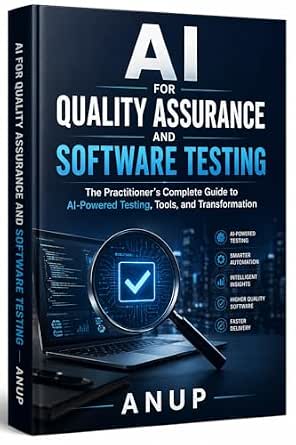
AI for Quality Assurance and Software Testing: A Practitioner’s Guide
- ✔ Format: Practitioner’s guide
- ✔ Primary topic: AI for quality assurance and software testing
- ✔ Focus: AI-powered testing tools
At a Glance
| Criteria | Playwright | Selenium | Winner |
|---|---|---|---|
| Browser coverage | Chromium, Firefox, and WebKit through Playwright; also supports branded browser channels in applicable environments | Broad browser support through WebDriver implementations, including major desktop browsers and vendor-specific options | B |
| Language choice | JavaScript/TypeScript, Python, Java, and .NET | Many language bindings, including Java, Python, C#, JavaScript, and Ruby | B |
| Setup and daily workflow | Integrated browser installation, test runner, assertions, and tooling make a new project relatively direct | Requires choosing and configuring a test runner, drivers, and often grid infrastructure | A |
| Reliability and debugging | Auto-waiting, tracing, screenshots, and video support can reduce flaky tests and speed diagnosis | Explicit waits and established debugging patterns work well, but teams must manage synchronization carefully | A |
| Parallel execution and scale | Built-in parallel test execution and sharding; hosted execution still has a service cost | Scales through Selenium Grid and hosted browser services; infrastructure and configuration are team responsibilities | A |
| Ecosystem and legacy integration | Fast-growing ecosystem, with fewer long-standing third-party integrations than Selenium | Long-established WebDriver standard with extensive vendor, framework, and enterprise integration | B |
| Cost and value | Open source and often lower setup effort for teams whose needs match its supported browsers and languages | Open source core; total cost depends on engineering time, grid hosting, and any commercial services | Depends |
Web Automation Testing Using Playwright: End-to-End, API, Accessibility, and Visual Testing
For readers who want their learning tied to an actual automation framework, Web Automation Testing Using Playwright has the clearest fit in this lineup. Its scope spans end-to-end, API, accessibility, and visual testing, which helps us see Playwright as part of a broader web quality strategy rather than only a way to click through pages. That range gives it a more practical automation orientation than Software Testing Unlocked, whose stated purpose is wider QA career preparation.The breadth is also its main uncertainty: the supplied details name topics but do not say how deeply the book treats each one, whether it includes runnable examples, or which Playwright version it uses. Buyers who need an immediately usable course should check those details. It is also specifically about Playwright and web work, so it will not serve readers seeking a general survey of test automation frameworks. Compared with the AI practitioner guide, this is the stronger choice when the goal is to build framework-specific web testing skills.
Pros:
- Focuses on the Playwright framework
- Includes end-to-end and API testing topics
- Also names accessibility and visual testing
- Provides a more concrete web automation focus than the broader beginner guide
Cons:
- The supplied information does not describe exercises, code samples, or depth
- A Playwright-specific scope may not fit teams using other frameworks
- The available details do not identify version coverage or prerequisites
Best for: Readers who already have basic programming familiarity and want to learn Playwright across multiple kinds of web testing.
Not ideal for: Teams selecting a test platform, readers who need a framework-neutral introduction, or people seeking a beginner QA career roadmap.
Bottom line: Choose this when our main goal is learning Playwright for web automation across several testing layers.
“Choose this when our main goal is learning Playwright for web automation across several testing layers.”
Software Testing Unlocked: A Beginner’s Guide to QA and Automation
Software Testing Unlocked takes the broadest entry-level approach here. Its described 20-step journey combines software quality assurance with test automation and is aimed at people working toward a first QA job. That makes it a better starting point than the Playwright book for someone who has not yet decided which framework or testing specialty to pursue. It frames automation within the larger QA role instead of treating framework skills as the whole profession.The same breadth means it may not be the fastest route to writing Playwright tests or adopting AI-based workflows. The supplied description does not reveal the actual steps, technical prerequisites, exercises, or how much automation practice appears, so we should not assume it is a detailed coding manual. Compared with the AI practitioner guide, this book is more suitable for people establishing core concepts than for experienced QA staff seeking a focused change in practice. Its strongest reason to rank second is the explicit beginner structure; its key limitation is the lack of content detail.
Pros:
- Uses a structured 20-step learning journey
- Connects QA fundamentals with test automation
- Targets beginners pursuing a first QA job
- Broader career foundation than the Playwright-focused option
Cons:
- The supplied description does not list the 20 steps or chapter contents
- Automation depth and hands-on coding work are unspecified
- Not described as a guide to a particular framework
Best for: Newcomers who want an organized introduction to QA and automation while preparing for an entry-level QA role.
Not ideal for: Experienced automation engineers seeking advanced framework instruction, or buyers who need documented Playwright or AI coverage.
Bottom line: Pick this as a broad first step when we need QA context before specializing in an automation framework.
“Pick this as a broad first step when we need QA context before specializing in an automation framework.”
AI for Quality Assurance and Software Testing: A Practitioner’s Guide
This practitioner guide addresses a different decision from the other two: how AI may change quality assurance and software testing. Its stated focus on AI-powered testing tools and transformation makes it most relevant to teams or QA professionals considering how to incorporate AI into existing work. That gives it a more specialized angle than the general beginner roadmap and a broader technology theme than the Playwright book’s framework-centered instruction.There is not enough supplied detail to tell us which AI tools it covers, whether it explains implementation patterns, or how it handles limits such as validation and oversight. That matters because a high-level transformation discussion may not meet the needs of someone who wants a step-by-step automation tutorial. Compared with the Playwright title, this option is less specific about a single technical workflow; compared with the beginner guide, it presumes a practitioner’s perspective. We rank it third for this automation-focused roundup because its stated connection to hands-on automation is less concrete, not because AI is irrelevant to testing.
Pros:
- Focuses on AI applications in QA and software testing
- Addresses AI-powered testing tools
- Includes testing transformation as a topic
- Offers a distinct practitioner perspective alongside framework and beginner guides
Cons:
- The supplied information does not name the tools or techniques covered
- Hands-on examples and implementation depth are unspecified
- May be too specialized for readers seeking broad QA fundamentals
Best for: QA practitioners and testing teams evaluating AI-powered testing tools or planning changes to established QA processes.
Not ideal for: Complete beginners needing core QA instruction, or engineers seeking a detailed Playwright implementation guide.
Bottom line: Choose this when AI’s role in a practitioner’s testing workflow is the main question we need to explore.
“Choose this when AI’s role in a practitioner’s testing workflow is the main question we need to explore.”
As an Amazon Associate we earn from qualifying purchases.
Key Differences
The clearest practical difference is how much of the testing workflow arrives together. Playwright includes a test runner and browser-focused features such as automatic waiting, tracing, and parallel execution. That makes it easier for a new team to establish consistent test behavior and investigate failures. Selenium gives teams more choice over frameworks and infrastructure, but that freedom means more decisions and maintenance. For a small team building a new suite, Playwright’s integrated approach often saves time; for a company with an existing Selenium grid and test conventions, that advantage may not justify migration.
Selenium’s strongest case is breadth. Its language bindings, vendor support, and long-running role in enterprise testing make it a safer fit when a project depends on a less common language, a particular browser implementation, or established tooling. Playwright supports several popular languages and three browser engines, but teams should confirm that its browser channel and environment coverage match their actual production matrix. Neither choice removes the need for sound test design: slow or unstable tests can still result from brittle selectors, shared state, unreliable test data, or poorly managed environments.
Both tools are open source, so the real value question is usually engineering effort and execution infrastructure rather than a license fee. Playwright tends to offer better value when its built-in tools reduce setup and troubleshooting time. Selenium can be better value when an organization already pays the operating cost of its grid or relies on integrations that would be expensive to replace. Hosted browser services may add cost with either tool, so compare expected parallel runs, browser coverage, and maintenance time before treating either as the cheaper option.
Detailed Comparison
Browser coverage (Selenium wins — moderate)
Selenium wins on breadth, a moderate advantage for teams that test a wide range of browser implementations. WebDriver connects to many vendor-supported browsers and existing grids. Playwright covers Chromium, Firefox, and WebKit, which is enough for many web products and provides useful engine diversity, but its supported browser channels and environments are more constrained. In practice, choose Selenium when a required browser or device environment falls outside Playwright’s coverage; choose Playwright when its supported engines match the product’s real audience.
Language choice (Selenium wins — moderate)
Selenium wins by a moderate margin because it has bindings across a particularly broad range of languages and a long history of use in different stacks. Playwright supports JavaScript and TypeScript, Python, Java, and .NET, covering many teams but not every existing codebase. The practical consequence is direct: Selenium can let a team keep tests in its standard language, while Playwright is compelling if one of its supported languages already fits the team’s skills and application workflow.
Setup and daily workflow (Playwright wins — moderate)
Playwright wins by a moderate margin for new projects. Its test runner, browser management, assertions, and reporting tools offer a coherent starting point, while Selenium teams typically select and connect a test framework, browser drivers, and execution infrastructure. That can mean less initial configuration and fewer separate tools to maintain with Playwright. Selenium’s modularity remains useful when the organization already has preferred frameworks or needs to fit automation into a larger testing platform.
Reliability and debugging (Playwright wins — moderate)
Playwright has a moderate advantage for common browser-test workflows because it automatically waits for many actions and provides tracing and other failure artifacts. These features can help reduce timing-related failures and show what happened before a test broke. Selenium can be reliable, but teams must choose and apply waits carefully and assemble their preferred debugging tools. Neither tool guarantees stable tests; selectors, test data, and environment quality remain decisive.
Parallel execution and scale (Playwright wins — minor)
Playwright wins slightly for teams that want parallel browser tests with minimal initial infrastructure work: parallel execution and sharding are part of its standard workflow. Selenium can scale substantially through Grid and hosted services, and its distributed model is well established, but teams may need to configure and operate more of the system. The difference is minor when both teams already have capable infrastructure; for a new suite, Playwright generally reaches useful parallel runs sooner.
Ecosystem and legacy integration (Selenium wins — major)
Selenium wins by a major margin when the decision involves existing enterprise investment. Its long-standing WebDriver standard has broad framework, vendor, and grid support, and many organizations already have Selenium tests and operational knowledge. Playwright’s ecosystem is active and its own tools are strong, but adopting it may require replacing integrations or retraining a team. For a greenfield project, Selenium’s history matters less; for an established testing estate, it can make Selenium the lower-risk choice.
Cost and value (moderate difference)
There is no universal winner because both tools are open source and the largest costs are usually engineering time and browser execution. Playwright can provide better value when integrated tooling reduces setup, flaky-test investigation, and maintenance. Selenium can cost less overall when existing grids, skills, and integrations are already funded and working. Paying for a hosted service may be worthwhile for either tool if it avoids maintaining browser infrastructure, but compare the service cost with the capacity and support the team actually needs.
Playwright: Pros and Cons
Pros:
- Integrated test runner and browser-focused tooling
- Automatic waiting helps with common timing issues
- Tracing and failure artifacts support diagnosis
- Parallel execution and sharding are readily available
Cons:
- Supports a narrower set of languages than Selenium
- Browser and environment coverage may not meet every enterprise requirement
- Migration can be costly if a team has substantial Selenium infrastructure
Selenium: Pros and Cons
Pros:
- Broad language bindings and browser options
- Mature WebDriver ecosystem with extensive integrations
- Fits existing grids, frameworks, and enterprise testing practices
- Flexible architecture lets teams choose their own components
Cons:
- More setup and infrastructure choices for a new project
- Wait strategy and debugging workflow require more team configuration
- Operating a grid or combining separate tools can add maintenance work
Who Should Choose What
Choose Playwright if:
- You are starting a new browser test suite and want a cohesive toolchain.
- Your team works in JavaScript, TypeScript, Python, Java, or .NET and Playwright’s browser coverage is sufficient.
- Reducing time spent on setup and diagnosing timing-related failures matters more than preserving existing WebDriver infrastructure.
Choose Selenium if:
- Your organization already has Selenium tests, a maintained Grid, or WebDriver-based vendor integrations.
- You need a language binding or browser environment Playwright does not support for your use case.
- Your team values the flexibility and mature enterprise ecosystem of the WebDriver standard.
Skip both if: If your main need is unit or API testing rather than browser-driven end-to-end coverage, use tools suited to those test layers instead of adding browser automation overhead.
Value for Money
Neither tool charges a license fee for its open source core, so paying more usually means buying hosted browser capacity, support, or infrastructure rather than choosing a paid edition of the framework. Playwright is often the better value for a new project when its built-in runner and debugging features reduce engineering hours. Selenium is often the better value for an established organization because existing skills, grids, and integrations have already absorbed much of the setup cost. Pay for hosted execution only when the saved maintenance time, broader browser access, or faster parallel feedback outweighs the service bill.
Final Verdict
For most teams starting a new browser automation suite, choose Playwright: it brings more of the everyday workflow together and makes parallel runs and failure diagnosis straightforward. Choose Selenium when you need its wider language and browser ecosystem, or when your company already depends on WebDriver infrastructure. The biggest deciding factor is whether you are building a new workflow or extending an established one. Playwright is the stronger default for a greenfield project; Selenium is the more practical choice for broad compatibility and existing enterprise investment.
Frequently Asked Questions
Is Playwright better than Selenium for a new project?
Often, yes. For a new browser test suite using a supported language and browser set, Playwright’s integrated runner, automatic waiting, and debugging tools make it a convenient default. Selenium remains a strong choice if the project needs a specific WebDriver browser, language, or enterprise integration.
Which tool supports more browsers?
Selenium generally supports a broader range of browser implementations through WebDriver. Playwright supports Chromium, Firefox, and WebKit, which covers many common testing needs. Check the exact browser channels and environments your product must support before choosing.
Does Playwright replace Selenium?
Not in every organization. Teams can use Playwright for new suites while retaining Selenium tests that depend on existing grids, integrations, or browser coverage. Migration makes sense when the benefits of a simpler workflow outweigh the cost of rewriting tests and changing infrastructure.
Is one tool cheaper to run?
Both have open source cores, so cost depends mainly on engineering time and execution infrastructure. Playwright may reduce setup and debugging effort for a new project. Selenium may be cheaper for a team that already operates a grid and has established WebDriver expertise.