
Choosing the right code review tools is essential for maintaining code quality and team collaboration. The best options balance automation, ease of use, and integration with existing workflows. Pair Programming with GPT-6 Astra stands out as the top overall pick for its AI-driven insights, while Looks Good To Me excels in constructive feedback for collaborative review. For those focused on AI-assisted coding, tools like GitHub Copilot and Claude Code offer powerful automation features. However, tradeoffs often involve balancing automation with manual oversight, as highly automated tools may miss nuanced issues. Continue reading for a detailed breakdown of each option to find what suits your development needs best.

Get business pricing on monitors, keyboards and dev gear
- Business-only prices and quantity discounts
- Tax-exempt purchasing
- Multiple users, one account, clear invoices
Key Takeaways
- AI integration enhances review speed but varies in accuracy; the top tools balance automation with human oversight.
- Collaboration features like inline comments and review workflows are critical for team effectiveness.
- Build quality and security analysis are often limited in lighter tools but crucial for enterprise use.
- Ease of setup and user interface impact day-to-day productivity more than advanced features alone.
- Pricing and licensing models differ significantly, affecting long-term value depending on team size and needs.
| Pair Programming with GPT-6 Astra: Using an AI Coding Agent for Planning, Implementation, Code Review, and Refactoring | 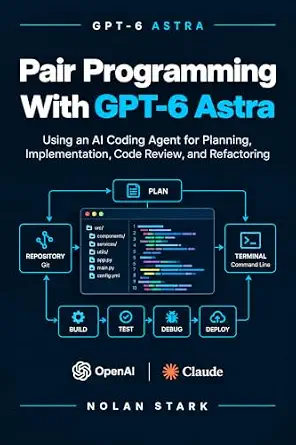 | Best for AI-Integrated Development Workflows | Focus Area: AI-assisted software development | Intended Audience: Developers interested in AI workflows | Approach: Strategic and conceptual | VIEW LATEST PRICE | See Our Full Breakdown |
| Looks Good To Me: Constructive Code Reviews |  | Best for Improving Team Collaboration and Code Quality | Focus Area: Constructive code reviews | Intended Audience: Team leads, senior developers | Approach: Practical, communication-focused | VIEW LATEST PRICE | See Our Full Breakdown |
| My Code Review: A Practical Guide to Code Quality |  | Best for Developers Seeking Structured Code Review Techniques | Focus Area: Code quality improvement | Intended Audience: Developers, QA teams | Approach: Structured, technique-focused | VIEW LATEST PRICE | See Our Full Breakdown |
| AI Coding Assistants for Developers: Practical AI-Assisted Programming for Code Generation, Debugging, Refactoring, Testing, Code Review and Developer Productivity |  | Best for Comprehensive AI Tool Integration | Focus Area: AI-assisted programming | Intended Audience: Intermediate to advanced developers | Approach: Broad overview with practical insights | VIEW LATEST PRICE | See Our Full Breakdown |
| The Solo Developer’s AI Code Review Guide: Catch What AI Coding Assistants Miss — Bugs, Security Issues, and Technical Debt |  | Best for Solo Developers Needing Thorough Code Inspection | Focus Area: Overlooked issues in AI code review | Intended Audience: Solo developers | Approach: Focused, issue-specific | VIEW LATEST PRICE | See Our Full Breakdown |
| Pull Requests and Code Review: Best Practices for Developers, from Junior to Team Lead |  | Best Overall | Audience: Developers and team leads | Focus: Best practices, team collaboration | Content Type: Process and collaboration guide | VIEW LATEST PRICE | See Our Full Breakdown |
| Code Review for AI-Generated Code: A Practical Review System for Bugs, Security, Architecture, Tests, Dependencies, and Engineering Control |  | Best for AI-Generated Code Security | Focus Area: AI-generated code review | Coverage: Bugs, security, architecture, tests | Intended Audience: AI-integration developers | VIEW LATEST PRICE | See Our Full Breakdown |
| Code Review Tools: A Complete Guide |  | Best for Tool-Centric Review Processes | Coverage: Tools, techniques, best practices | Intended Audience: Developers, team leads | Format: Book | VIEW LATEST PRICE | See Our Full Breakdown |
| GitHub Copilot for Developers: The Practical Guide to AI-Assisted Coding, Agent Mode, Coding Agents, MCP, Code Review, Custom Agents, and Agentic Software Development |  | Best for AI-Enhanced Coding Workflows | Focus: GitHub Copilot features | Coverage: Code review, agents, automation | Intended Audience: GitHub users, AI-assisted developers | VIEW LATEST PRICE | See Our Full Breakdown |
| Visual Studio Code: End-to-End Editing and Debugging Tools for Web Developers |  | Best for Web Development Integration | Platform: Cross-platform | Extension Support: Yes | Main Use: Code editing, debugging, review | VIEW LATEST PRICE | See Our Full Breakdown |
| Claude Code for Software Development: Hands-On Guide to AI Coding Workflows, Code Review, Debugging, Testing, and Developer Productivity |  | Best Overall for Comprehensive AI-Driven Development | Coverage: AI coding workflows, debugging, testing, productivity | Approach: Practical, conceptual | Intended Audience: Beginners to intermediate developers | VIEW LATEST PRICE | See Our Full Breakdown |
| Claude Code for Developers: Automating Your Workflow from the Terminal |  | Best for Terminal-Based Workflow Automation | Focus: Terminal automation, command-line workflows | Approach: Practical, task-oriented | Audience: Intermediate to advanced developers | VIEW LATEST PRICE | See Our Full Breakdown |
| 50 AI Workflows for Engineers: From Debugging to System Design, Code Review & Engineering Automation |  | Best for Advanced Engineering Workflows | Coverage: Debugging, system design, automation, code review | Approach: Workflow-based, insights-driven | Intended Audience: Advanced engineers | VIEW LATEST PRICE | See Our Full Breakdown |
| code review tools for developer | Intended Audience | Format | Approach |
|---|---|---|---|
| Pair Programming with GPT-6 As | Developers interested in AI workflows | Guidebook | Strategic and conceptual |
| Looks Good To Me: Constructive | Team leads, senior developers | Guidebook | Practical, communication-focused |
| My Code Review: A Practical Gu | Developers, QA teams | Practical guide | Structured, technique-focused |
| AI Coding Assistants for Devel | Intermediate to advanced developers | Comprehensive guide | Broad overview with practical insights |
| The Solo Developer’s AI Code R | Solo developers | Guide | Focused, issue-specific |
| Pull Requests and Code Review: | — | Book | — |
| Code Review for AI-Generated C | AI-integration developers | Book | — |
| Code Review Tools: A Complete | Developers, team leads | Book | — |
| GitHub Copilot for Developers: | GitHub users, AI-assisted developers | Book | — |
| Visual Studio Code: End-to-End | — | — | — |
| Claude Code for Software Devel | Beginners to intermediate developers | Guide with practical tips | Practical, conceptual |
| Claude Code for Developers: Au | — | — | Practical, task-oriented |
| 50 AI Workflows for Engineers: | Advanced engineers | — | Workflow-based, insights-driven |
More Details on Our Top Picks
Pair Programming with GPT-6 Astra: Using an AI Coding Agent for Planning, Implementation, Code Review, and Refactoring
This book stands out for providing a strategic approach to integrating GPT-6 Astra as an AI coding agent into various stages of software development, including planning, implementation, and refactoring. Unlike other resources like AI Coding Assistants for Developers, which focus on broad AI tools, this guide emphasizes practical strategies for workflow integration. The absence of detailed technical examples means it’s more suited for developers exploring AI’s role conceptually rather than as a technical manual. The content suits teams looking to embed AI into their processes but may fall short for those seeking concrete, code-level guidance.
Pros:- Provides practical strategies for AI-assisted programming
- Covers comprehensive aspects of software development with AI
- Useful for developers interested in AI integration
Cons:- No specific technical details or examples provided
- May be less relevant for non-technical readers
Best for: Developers and teams interested in AI-driven development workflows and strategic AI integration
Not ideal for: Developers seeking detailed technical implementation or code examples of AI tools
- Focus Area:AI-assisted software development
- Intended Audience:Developers interested in AI workflows
- Approach:Strategic and conceptual
- Technical Detail:Limited; focus on strategies
- Use Cases Covered:Planning, implementation, review, refactoring
- Format:Guidebook
Our verdict“This resource is ideal for those exploring how to weave AI into their development cycle but less so for hands-on technical implementation.”
Looks Good To Me: Constructive Code Reviews
This book earns its place by offering clear, actionable advice for conducting effective code reviews that bolster team collaboration and improve code quality. Compared to My Code Review, which emphasizes practical strategies, this book focuses more on communication and review techniques. Its straightforward guidance helps teams avoid common pitfalls, but it lacks detailed technical specifications or real-world examples, which might limit its usefulness for developers seeking in-depth review processes. It’s best suited for teams aiming to build a culture of constructive feedback.
Pros:- Provides practical guidance on conducting effective reviews
- Enhances team collaboration and communication
- Helps improve overall code quality
Cons:- No detailed specifications or technical checklists
- Lacks customer reviews or practical examples
Best for: Team leads and senior developers seeking to enhance review practices and team dynamics
Not ideal for: Solo developers or those requiring detailed technical review checklists
- Focus Area:Constructive code reviews
- Intended Audience:Team leads, senior developers
- Approach:Practical, communication-focused
- Technical Details:Minimal
- Use Cases Covered:Review practices, team collaboration
- Format:Guidebook
Our verdict“This book is well-suited for teams looking to improve their review approach and foster better collaboration.”
My Code Review: A Practical Guide to Code Quality
This guide makes the most sense for developers who want structured, actionable techniques for improving code quality through reviews. Unlike Looks Good To Me, which emphasizes collaboration, this book dives into specific review strategies, such as issue identification and standard enforcement. Its focus on best practices offers tangible benefits but is limited by the lack of detailed technical specifications or concrete case studies. It’s ideal for developers aiming to formalize their review process and ensure consistent quality standards.
Pros:- Provides practical strategies for effective code reviews
- Focuses on improving code quality and standards
- Enhances team collaboration through structured practices
Cons:- No detailed specifications or real-world examples
- Limited coverage of technical review tools
Best for: Developers and QA teams looking to establish or refine formal code review processes
Not ideal for: Developers seeking high-level concepts without detailed techniques
- Focus Area:Code quality improvement
- Intended Audience:Developers, QA teams
- Approach:Structured, technique-focused
- Technical Detail:Basic, no deep examples
- Use Cases Covered:Issue detection, standards enforcement
- Format:Practical guide
Our verdict“Best suited for developers wanting a structured, technique-driven approach to code reviews for quality assurance.”
AI Coding Assistants for Developers: Practical AI-Assisted Programming for Code Generation, Debugging, Refactoring, Testing, Code Review and Developer Productivity
This book offers a broad look at how AI tools can be harnessed across multiple programming tasks, including code generation, debugging, and review. Unlike the more focused Pair Programming with GPT-6 Astra, which emphasizes AI integration strategies, this volume covers a wide range of AI-assisted techniques, making it suitable for developers seeking an overview rather than deep technical guides. Its lack of detailed examples limits its usefulness for those wanting to implement specific AI solutions but it provides a valuable foundation for understanding AI’s role in productivity enhancement.
Pros:- Covers a wide range of AI-assisted programming tasks
- Practical guidance on improving developer productivity
- Includes real-world programming scenarios
Cons:- Lacks detailed technical examples or implementation steps
- May be too advanced for complete beginners
Best for: Developers interested in a broad overview of AI tools for coding tasks and productivity
Not ideal for: Beginners or developers needing step-by-step technical instructions
- Focus Area:AI-assisted programming
- Intended Audience:Intermediate to advanced developers
- Approach:Broad overview with practical insights
- Technical Detail:Limited; overview-focused
- Use Cases Covered:Code generation, debugging, testing, review
- Format:Comprehensive guide
Our verdict“Ideal for developers wanting a comprehensive overview of AI tools to boost productivity, though not for those seeking detailed technical guidance.”
The Solo Developer’s AI Code Review Guide: Catch What AI Coding Assistants Miss — Bugs, Security Issues, and Technical Debt
This guide makes a niche but important contribution by helping solo developers identify issues that AI assistants often overlook, such as security vulnerabilities and technical debt. Compared to My Code Review, which emphasizes general review strategies, this book zeroes in on the pitfalls of AI-assisted review, making it highly relevant for independent developers. Its limited technical specifics and lack of customer feedback mean it’s best for those who already have a foundation in code review but want to refine their focus on overlooked areas.
Pros:- Focuses on catching issues AI might miss
- Practical strategies for security and technical debt
- Specifically tailored for solo developers
Cons:- Limited technical specifications or detailed examples
- No customer reviews or extensive content details
Best for: Solo developers needing to perform thorough, security-conscious code reviews
Not ideal for: Large teams or developers seeking general review guidance without focus on AI gaps
- Focus Area:Overlooked issues in AI code review
- Intended Audience:Solo developers
- Approach:Focused, issue-specific
- Technical Detail:Limited
- Use Cases Covered:Bug detection, security, technical debt
- Format:Guide
Our verdict“This guide is best for solo developers aiming to catch overlooked bugs and security issues in AI-assisted coding, with a focus on thoroughness.”
Pull Requests and Code Review: Best Practices for Developers, from Junior to Team Lead
This book earns its spot as the best overall guide for code review because it covers a broad spectrum of practices suitable for developers at all experience levels. Unlike more technical resources like Code Review Tools: A Complete Guide, which focus on specific tools, this book emphasizes practical review processes and team collaboration, making it invaluable for fostering effective review habits. However, it lacks detailed technical examples or tool integrations, which might leave advanced developers wanting more hands-on procedures. Its strength lies in clear, actionable advice that improves team dynamics and code quality, especially for those new to reviewing or managing code reviews.
Pros:- Covers best practices for all experience levels, from junior to lead
- Provides practical tips to streamline review processes
- Enhances team collaboration and code quality
Cons:- Lacks specific technical tools or code examples
- Content may be too general for experienced developers seeking advanced strategies
Best for: Developers and team leads seeking a comprehensive, process-oriented approach to improve review quality and collaboration.
Not ideal for: Developers looking for a technical tool-specific guide or advanced review automation techniques.
- Audience:Developers and team leads
- Focus:Best practices, team collaboration
- Content Type:Process and collaboration guide
- Level:Junior to senior
- Format:Book
- Coverage:Pull requests, review practices
Our verdict“This book is perfect for teams aiming to build solid review practices and improve collaboration across all experience levels.”
Code Review for AI-Generated Code: A Practical Review System for Bugs, Security, Architecture, Tests, Dependencies, and Engineering Control
This book stands out for its focused approach to reviewing AI-generated code, addressing critical issues like bugs, security vulnerabilities, and architectural flaws—areas often overlooked by general tools like Code Review Tools: A Complete Guide. Compared with traditional code review guides, its specialized coverage ensures developers can confidently audit AI-assisted outputs. The lack of real-world case studies and the absence of specific tool recommendations may limit its immediate practical application, but it offers essential frameworks for maintaining quality in AI-driven development environments.
Pros:- Comprehensive coverage of AI-generated code review aspects
- Focus on security and architectural concerns
- Provides practical guidance for AI-assisted development
Cons:- No specific pricing or tool integrations mentioned
- Lacks customer reviews or real-world examples
Best for: Developers integrating AI tools into their workflow who need structured methods to review AI-generated code for security and architecture issues.
Not ideal for: Developers seeking a broad overview of code review tools or manual review processes without AI focus.
- Focus Area:AI-generated code review
- Coverage:Bugs, security, architecture, tests
- Intended Audience:AI-integration developers
- Format:Book
- Application:Security, architecture review
Our verdict“Ideal for AI-focused development teams needing structured review systems for AI-generated code quality and security.”
Code Review Tools: A Complete Guide
This guide is a thorough resource for understanding various code review tools and techniques, making it ideal for teams looking to implement or upgrade their review infrastructure. Unlike Pull Requests and Code Review, which emphasizes best practices, this book dives into specific tools and their capabilities, helping developers choose the right solutions for their workflows. The absence of concrete product features or user feedback, however, means it functions more as a conceptual overview than a practical decision-maker. It’s best suited for teams starting to explore or formalize their review toolset.
Pros:- Thorough coverage of review tools and techniques
- Useful for understanding various options and best practices
- Enhances team understanding of review workflows
Cons:- No specific product features or integrations detailed
- No user reviews or practical case studies included
Best for: Development teams seeking an in-depth understanding of review tools and how to integrate them effectively.
Not ideal for: Developers looking for a step-by-step guide to review processes or practical implementation tips without a focus on tools.
- Coverage:Tools, techniques, best practices
- Intended Audience:Developers, team leads
- Format:Book
- Purpose:Educational
- Focus:Tools and methods
Our verdict“Best suited for teams wanting to deepen their knowledge of review tools and improve their technical review infrastructure.”
GitHub Copilot for Developers: The Practical Guide to AI-Assisted Coding, Agent Mode, Coding Agents, MCP, Code Review, Custom Agents, and Agentic Software Development
This book makes the most of GitHub Copilot’s capabilities, including code review features, to streamline developer workflows. Compared with general review guides like Pull Requests and Code Review, it focuses on how AI tools can assist in reviewing and improving code quality. While it offers practical insights into customizing and deploying AI agents, its scope is limited to GitHub’s ecosystem and AI-centric features. Developers seeking to integrate AI into their review processes will find this resource useful, but those looking for traditional or tool-specific review techniques may find it less relevant.
Pros:- Comprehensive coverage of GitHub Copilot’s review and AI features
- Practical guidance for optimizing AI-assisted workflows
- Focus on customizing agents and improving productivity
Cons:- Limited to GitHub ecosystem, not general review tools
- No pricing or user reviews provided
Best for: Developers using or planning to adopt GitHub Copilot for AI-assisted review and coding automation.
Not ideal for: Developers not using GitHub Copilot or those seeking detailed technical review procedures independent of AI tools.
- Focus:GitHub Copilot features
- Coverage:Code review, agents, automation
- Intended Audience:GitHub users, AI-assisted developers
- Format:Book
- Application:Workflow automation
Our verdict“Ideal for developers leveraging or exploring AI-based review and coding assistance within GitHub’s platform.”
Visual Studio Code: End-to-End Editing and Debugging Tools for Web Developers
This widely-used editor offers robust editing, debugging, and deployment features tailored for web developers. Compared with specialized code review tools like Code Review Tools: A Complete Guide, VS Code focuses on an integrated development environment that supports code review via extensions and built-in features. While highly customizable and powerful, it can be resource-heavy on lower-end systems and presents a learning curve for newcomers. For teams already invested in VS Code, it provides a seamless environment for coding and reviewing within a familiar interface, but it might be less ideal for those seeking dedicated review management or automation features.
Pros:- Powerful editing and debugging capabilities
- Extensive ecosystem of extensions for review and collaboration
- Free, open-source, and widely supported
Cons:- Can be resource-intensive on some systems
- Steep learning curve for beginners unfamiliar with extensions
Best for: Web developers seeking a flexible, all-in-one editor with integrated review and debugging tools.
Not ideal for: Developers looking for a lightweight or specialized review platform without extensive debugging features.
- Platform:Cross-platform
- Extension Support:Yes
- Main Use:Code editing, debugging, review
- Target Audience:Web developers
Our verdict“Perfect for web developers wanting an integrated environment that combines editing, debugging, and review workflows.”
Claude Code for Software Development: Hands-On Guide to AI Coding Workflows, Code Review, Debugging, Testing, and Developer Productivity
This book stands out for offering a broad overview of AI coding workflows, making it a solid resource for developers who want to understand how AI can be integrated into various stages of software development. Unlike more specialized guides like 50 AI Workflows for Engineers, it provides a more structured approach suitable for those new to AI-assisted development. However, its lack of detailed technical examples and absence of specific pricing details mean it may feel less practical for hands-on implementation. This guide is ideal for developers seeking a comprehensive, conceptual understanding rather than immediate, step-by-step technical instructions, but it may fall short for those needing in-depth coding examples or cost considerations.
Pros:- Covers a wide range of AI-driven development topics in one resource
- Offers practical tips for debugging and testing with AI tools
- Focuses on improving overall developer productivity through AI
Cons:- Lacks detailed, step-by-step technical examples
- No specific pricing or cost-related guidance
Best for: Developers new to AI workflows who want a broad understanding of AI’s role in coding, testing, and debugging.
Not ideal for: Experienced engineers looking for detailed technical workflows or specific code snippets for immediate implementation.
- Coverage:AI coding workflows, debugging, testing, productivity
- Approach:Practical, conceptual
- Intended Audience:Beginners to intermediate developers
- Format:Guide with practical tips
- Focus:AI integration in development processes
- Technical Depth:High-level, less detailed
Our verdict“This book is best suited for developers seeking a high-level understanding of AI in coding workflows, not for those requiring detailed technical guidance.”
Claude Code for Developers: Automating Your Workflow from the Terminal
This book makes the most sense for developers who want to streamline their development through command-line automation, especially those comfortable with terminal environments. Compared to the broader scope of 50 AI Workflows for Engineers, it focuses specifically on automation using terminal commands, making it more targeted but also narrower in scope. Its practical approach suits developers seeking efficiency gains but may leave those without strong command-line skills wanting more detailed examples or step-by-step instructions. The lack of comprehensive examples in some parts means users should already have a basic familiarity with CLI workflows to maximize its value.
Pros:- Focuses on practical automation techniques for terminal workflows
- Helps improve efficiency and reduce manual effort
- Suitable for experienced developers familiar with CLI
Cons:- Lacks detailed, step-by-step examples in some sections
- Requires prior knowledge of command-line tools
Best for: Developers who want to automate repetitive tasks directly from the terminal and are comfortable with command-line interfaces.
Not ideal for: Beginners or those unfamiliar with command-line workflows who prefer graphical interfaces or more guided tutorials.
- Focus:Terminal automation, command-line workflows
- Approach:Practical, task-oriented
- Audience:Intermediate to advanced developers
- Content Depth:Focused on automation techniques
- Use Case:Streamlining development tasks
- Prerequisites:Basic command-line skills
Our verdict“Ideal for developers aiming to automate tasks via the terminal, provided they have some command-line experience.”
50 AI Workflows for Engineers: From Debugging to System Design, Code Review & Engineering Automation
This book offers a comprehensive collection of 50 AI-driven workflows tailored to engineers, covering core activities such as debugging, system design, and automation. It makes Claude Code for Developers look more specialized, as it dives into a variety of practical AI applications across engineering tasks. However, its lack of detailed technical examples may make it less useful for beginners or those seeking immediate implementation guidance. Instead, this resource suits experienced engineers who want to explore a broad set of AI workflows to enhance productivity and system quality, though it might overwhelm those new to AI or complex systems.
Pros:- Covers a wide range of AI workflows specific to engineering tasks
- Provides practical insights for improving system design and automation
- Helps integrate AI across multiple engineering activities
Cons:- Lacks detailed technical examples for direct application
- May be too advanced for those new to AI or complex system workflows
Best for: Experienced engineers looking to incorporate AI into diverse workflows like system design and debugging.
Not ideal for: Beginners or developers seeking step-by-step tutorials for specific coding tasks without a broad workflow perspective.
- Coverage:Debugging, system design, automation, code review
- Approach:Workflow-based, insights-driven
- Intended Audience:Advanced engineers
- Content Depth:Broad, less technical
- Use Cases:Engineering productivity, system quality
- Level:Advanced
Our verdict“This book suits experienced engineers aiming to broaden their AI-driven workflow toolkit, not newcomers needing step-by-step guides.”

How We Picked
The tools in this roundup were selected based on a combination of core criteria that matter most to developers. Performance was evaluated through how well each tool identifies code issues, security flaws, and adherence to best practices. Usability and integration played a key role, ensuring the tools fit smoothly into existing workflows, whether through IDE plugins or web interfaces. We also considered build quality, ongoing maintenance, and the potential for automation to reduce manual review effort. Ultimately, the ranking reflects a balance between these factors, prioritizing tools that deliver comprehensive review capabilities while remaining accessible and scalable for different development contexts.| code review tools for developer | Format |
|---|---|
| Pair Programming with GPT-6 As | Guidebook |
| Looks Good To Me: Constructive | Guidebook |
| My Code Review: A Practical Gu | Practical guide |
| AI Coding Assistants for Devel | Comprehensive guide |
| The Solo Developer’s AI Code R | Guide |
| Pull Requests and Code Review: | Book |
| Code Review for AI-Generated C | Book |
| Code Review Tools: A Complete | Book |
| GitHub Copilot for Developers: | Book |
| Visual Studio Code: End-to-End | — |
| Claude Code for Software Devel | Guide with practical tips |
| Claude Code for Developers: Au | — |
| 50 AI Workflows for Engineers: | — |
Factors to Consider When Choosing Code Review Tools For Developers
When choosing a code review tool, developers should weigh several important factors. The right tool can improve code quality, boost team collaboration, and streamline workflows, but tradeoffs are inevitable. Understanding these considerations helps in selecting a solution that aligns with your project’s size, security requirements, and automation needs.Automation and AI Capabilities
Advanced AI features can significantly speed up the review process by detecting bugs, security issues, and code smells. However, over-reliance on automation may lead to missed nuanced problems that require human judgment. Consider whether your team needs a highly automated system or a more manual, review-focused tool. Balance the potential time savings against the risk of overlooking critical issues.Ease of Integration and Workflow Compatibility
A review tool that integrates seamlessly with your existing development environment—such as GitHub, GitLab, or IDEs—can dramatically improve productivity. Tools that require complex setup or disrupt established workflows may hinder adoption. Prioritize solutions that fit smoothly into your team’s current ecosystem and support your preferred code review processes.Security and Compliance Features
For enterprise or security-sensitive projects, review tools with built-in security analysis and compliance checks are essential. These features help catch vulnerabilities early and ensure adherence to standards like GDPR or SOC. Lighter tools may lack these capabilities, so evaluate whether your project demands rigorous security oversight from your review system.User Interface and Collaboration Tools
An intuitive interface with clear inline commenting, review workflows, and notifications makes code reviews more effective. Poor usability can lead to overlooked issues and frustration. Consider how the tool supports team collaboration, especially for remote or distributed teams, to maintain high review quality.Cost and Licensing
Pricing models range from open-source and free options to subscription-based enterprise solutions. Larger teams or companies with complex needs should consider the total cost of ownership, including licensing, support, and scalability. Cheaper tools may lack advanced features, while premium options often provide more comprehensive review capabilities but at a higher price point.Frequently Asked Questions
Can I rely solely on AI tools for code review?
While AI-powered code review tools can identify many common issues quickly, they should not be the sole method for reviewing critical code. These tools excel at catching bugs, security flaws, and style inconsistencies, but often miss nuanced design problems or context-specific issues that require human judgment. Combining AI with manual review ensures a more thorough process, especially for complex or high-stakes projects.
How do I choose between a free and paid code review tool?
Free tools can be a good starting point for small teams or projects with limited budgets, but they often lack advanced features like security analysis or integration options. Paid solutions typically offer deeper automation, better collaboration support, and more comprehensive review capabilities, which can justify the cost for larger teams or mission-critical projects. Consider your specific needs, team size, and security requirements when evaluating the value of paid options.
Are AI-assisted review tools suitable for all programming languages?
Many AI review tools are optimized for popular languages like Python, JavaScript, or Java, but their effectiveness diminishes with less common languages or specialized codebases. Some tools support multiple languages, but their accuracy varies. Check whether the tool you select has proven support for your primary development language, especially if your codebase involves niche or legacy languages.
What role does automation play in team collaboration?
Automation can dramatically improve collaboration by providing consistent, repeatable reviews and prompt feedback. It reduces manual effort and helps ensure standards are met across the team. However, over-automation may lead to superficial reviews if not balanced with human oversight. Ideally, a good review system combines automation with opportunities for developers to discuss and clarify issues collaboratively.
Should I prioritize security features in my code review tool?
Yes, especially for projects involving sensitive data or compliance requirements. Security-focused review features help identify vulnerabilities early, reducing the risk of exploits or data breaches. However, these features can add complexity and cost, so consider your project’s risk profile and whether your team has the expertise to interpret security findings. For high-security environments, investing in dedicated security review tools may be worth the extra effort.
Conclusion
For teams seeking a comprehensive, all-around solution, Pair Programming with GPT-6 Astra offers the best mix of automation, collaboration, and versatility. Smaller teams or individual developers on a budget will find Looks Good To Me provides essential review features without complexity. For those prioritizing security and compliance, investing in tools with robust security analysis is advisable. Beginners or teams new to automated review should opt for user-friendly options with gentle learning curves. Larger enterprises or security-sensitive projects should consider premium solutions with advanced integration and security features, while developers focused on AI-assisted workflows will benefit from specialized tools like GitHub Copilot or Claude Code. Tailor your choice to your project size, security needs, and workflow preferences for the best results.