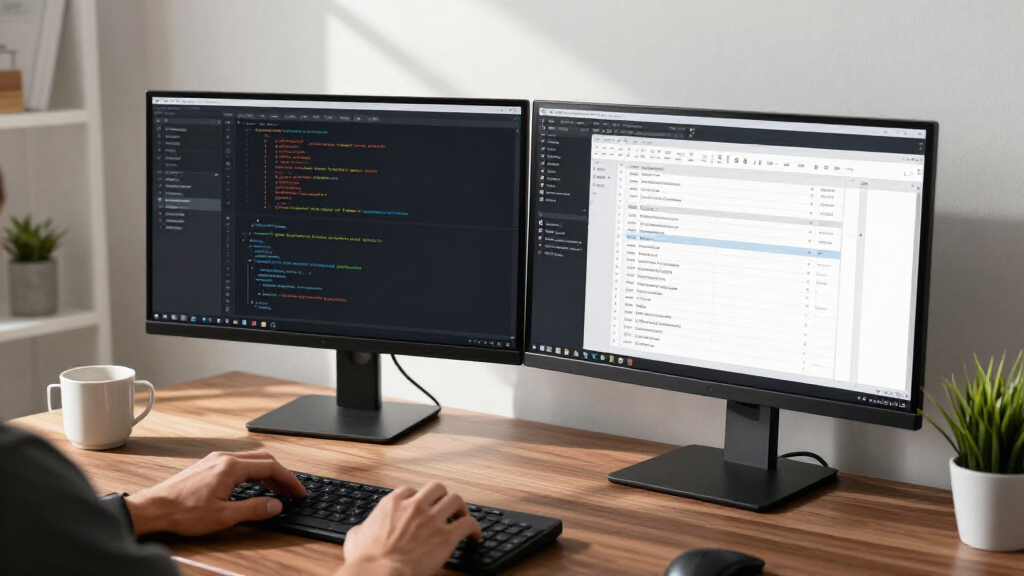

Dual screen setups live or die on matching panels, thin bezels, and sensible stand footprints — and not every monitor sold in a two-pack gets those right. For most buyers, the Kado by Sceptre 27-Inch QHD IPS 2-Pack is the strongest starting point because it pairs 1440p sharpness with consistent color across both screens at a price that undercuts buying two singles. If your desk is tight, the ViewSonic VA2256-MHD_H2 22-inch dual pack keeps things compact, while the Philips 27E2N2100 wins on refresh rate if you mix productivity with fast-paced gaming. The main tradeoffs in this category are resolution versus price, curved versus flat panels for side-by-side viewing, and whether bundled speakers save desk space or fall flat on audio. Continue reading for the full breakdown, including alignment accessories and the budget picks I’d actually recommend.

Get monitors, keyboards and dev gear delivered free — and shop member deals
- Fast, free delivery on millions of items
- Access to Prime Big Deal Days deals on October 6–7
- Prime Video, Amazon Music and more included
Key Takeaways
- True 2-pack monitors dominated the comparison because matching panels eliminate the color and brightness mismatch that ruins side-by-side workflows.
- The Kado by Sceptre 27-inch QHD 2-Pack separated itself from the FHD packs by offering 1440p density — a meaningful jump for text-heavy dual-screen work — without a premium price.
- Curved 1500R panels (the Kado curved packs and Sceptre C248W) felt immersive for single-user gaming but are more polarizing in dual configurations, where a flat IPS panel keeps straight lines straight across both screens.
- Small-format picks like the ViewSonic 22-inch pack and YOTETION 19-inch pair trade screen real estate for footprint — the right call for shallow desks, the wrong one for spreadsheet-heavy users.
- The ScreenBuddy magnetic connector was the surprise differentiator: it costs little, works with nearly every monitor here, and solves the alignment gap that plagues most VESA-less dual setups.
| Kado by Sceptre 2-Pack Dual 27″ Curved 1500R FHD 1080p 75Hz Computer Monitor with Built-in Speakers |  | Best Curved Dual Bundle | Screen Size: 27 inches (x2) | Resolution: 1920 x 1080 (FHD) | Refresh Rate: 75 Hz | VIEW LATEST PRICE | See Our Full Breakdown |
| ViewSonic VA2256-MHD_H2 22 Inch 1080p Dual Pack Head-Only Monitors (IPS, FreeSync, HDMI/DisplayPort/VGA) |  | Best for Monitor Arms | Screen Size: 22 inches (x2) | Resolution: 1920 x 1080 (Full HD) | Panel Type: IPS | VIEW LATEST PRICE | See Our Full Breakdown |
| HP Series 3 27″ FHD Monitor (327se, 2025) – Black |  | Best Name-Brand Office Pick | Screen Size: 27 inches | Resolution: 1920 x 1080 (FHD) | Panel Type: IPS | VIEW LATEST PRICE | See Our Full Breakdown |
| Sceptre 24-Inch Curved Gaming Monitor, 1080p (C248W-1920RN) |  | Best Compact Curved Add-On | Screen Size: 24 inches | Resolution: 1920 x 1080 (FHD) | Refresh Rate: 75 Hz | VIEW LATEST PRICE | See Our Full Breakdown |
| Philips 27E2N2100 27-Inch Full HD IPS Monitor, 120Hz |  | Best for Smooth Motion | Screen Size: 27 inches | Resolution: 1920 x 1080 (Full HD) | Panel Type: IPS | VIEW LATEST PRICE | See Our Full Breakdown |
| Sceptre 24-Inch FHD 100Hz Monitor with Built-In Speakers |  | Best Budget Single Panel to Pair | Screen Size: 24 inches | Resolution: Full HD (1920 x 1080) | Refresh Rate: 100Hz | VIEW LATEST PRICE | See Our Full Breakdown |
| Kado by Sceptre 27-Inch QHD IPS Monitor, 2-Pack |  | Best for Productivity Detail | Screen Size: 27 inches (x2) | Resolution: 2560 x 1440 (QHD) | Panel Type: IPS | VIEW LATEST PRICE | See Our Full Breakdown |
| Sceptre 22-Inch FHD 1080p Gaming Monitor, 144Hz (E225W-FW144) |  | Best for Dual-Screen Gaming | Screen Size: 22 inches | Resolution: 1920 x 1080 (FHD) | Refresh Rate: 144 Hz | VIEW LATEST PRICE | See Our Full Breakdown |
| ScreenBuddy Magnetic Monitor Alignment Connector – Set of 2 |  | Best Setup Accessory | Quantity: Set of 2 | Compatibility: All monitor sizes, curved and flat | Connection Type: Magnetic Snap & Lock system | VIEW LATEST PRICE | See Our Full Breakdown |
| Kado by Sceptre 2-Pack Dual 22″ FHD 1080p 75Hz Computer Monitor |  | Best Value Dual Bundle | Screen Size: 22 inches (x2) | Resolution: 1920 x 1080 (FHD) | Refresh Rate: 75 Hz | VIEW LATEST PRICE | See Our Full Breakdown |
| YOTETION 19-inch HD+ 75Hz LED Monitor (2-Pack) |  | Best for Tight Desk Spaces | Screen Size: 19 inches (2-pack) | Resolution: 1440 x 900 (HD+) | Refresh Rate: 75 Hz | VIEW LATEST PRICE | See Our Full Breakdown |
| Kado by Sceptre 24″ Curved Dual Monitor 2-Pack, 1500R |  | Best Value Dual Bundle | Screen Size: 24 inches (2 monitors) | Resolution: 1920 x 1080 (Full HD) | Refresh Rate: 75 Hz | VIEW LATEST PRICE | See Our Full Breakdown |
| Philips 241V8LB 24 Inch Computer Monitor |  | Best Single Panel for Building Your Own Pair | Screen Size: 23.8 inches | Resolution: 1920 x 1080 (Full HD) | Panel Type: VA LCD | VIEW LATEST PRICE | See Our Full Breakdown |
| monitors for dual screen setup | Screen Size | Resolution | Refresh Rate |
|---|---|---|---|
| Kado by Sceptre 2-Pack Dual 27 | 27 inches (x2) | 1920 x 1080 (FHD) | 75 Hz |
| ViewSonic VA2256-MHD_H2 22 Inc | 22 inches (x2) | 1920 x 1080 (Full HD) | 75 Hz |
| HP Series 3 27" FHD Monitor | 27 inches | 1920 x 1080 (FHD) | 100 Hz |
| Sceptre 24-Inch Curved Gaming | 24 inches | 1920 x 1080 (FHD) | 75 Hz |
| Philips 27E2N2100 27-Inch Full | 27 inches | 1920 x 1080 (Full HD) | 120 Hz |
| Sceptre 24-Inch FHD 100Hz Moni | 24 inches | Full HD (1920 x 1080) | 100Hz |
| Kado by Sceptre 27-Inch QHD IP | 27 inches (x2) | 2560 x 1440 (QHD) | 75 Hz |
| Sceptre 22-Inch FHD 1080p Gami | 22 inches | 1920 x 1080 (FHD) | 144 Hz |
| ScreenBuddy Magnetic Monitor A | — | — | — |
| Kado by Sceptre 2-Pack Dual 22 | 22 inches (x2) | 1920 x 1080 (FHD) | 75 Hz |
| YOTETION 19-inch HD+ 75Hz LED | 19 inches (2-pack) | 1440 x 900 (HD+) | 75 Hz |
| Kado by Sceptre 24" Curved Dua | 24 inches (2 monitors) | 1920 x 1080 (Full HD) | 75 Hz |
| Philips 241V8LB 24 Inch Comput | 23.8 inches | 1920 x 1080 (Full HD) | 100 Hz with Adaptive-Sync |
More Details on Our Top Picks
Kado by Sceptre 2-Pack Dual 27″ Curved 1500R FHD 1080p 75Hz Computer Monitor with Built-in Speakers
This bundle stands out for buyers who want a matched curved pair straight out of the box — a real advantage over buying two singles like the HP Series 3 27″, where slight panel variance between units can be visible side by side. The 1500R curvature wraps both screens gently toward your eyes, which reduces the head-turning that flat dual setups demand. The 3ms response time and custom FPS/RTS modes make it a better casual-gaming fit than the ViewSonic VA2256 dual pack too. The tradeoff is pixel density: 1080p on 27 inches looks noticeably softer than on a 24-inch panel, and the single HDMI port per monitor limits console-plus-PC flexibility.
Pros:- Matched pair guarantees identical color and brightness across both screens
- 1500R curvature reduces eye strain and neck movement across a wide dual setup
- Fast 3ms response time minimizes ghosting in games
- Built-in speakers and VESA mounting clean up desk clutter
Cons:- 1080p resolution is soft for a 27-inch screen size
- Only one HDMI port per monitor limits input switching
Best for: Gamers and multitaskers who want a matched curved pair for immersive dual-screen gaming without buying monitors separately
Not ideal for: Anyone doing text-heavy work like coding or spreadsheets — 1080p stretched across 27 inches makes small text look fuzzy
- Screen Size:27 inches (x2)
- Resolution:1920 x 1080 (FHD)
- Refresh Rate:75 Hz
- Response Time:3 ms
- Curvature:1500R
- Color Gamut:98% sRGB
- VESA Mount Compatible:Yes
- Built-in Speakers:Yes
Our verdict“This is the pick if you want a seamless, immersive curved pair in one purchase — just accept the resolution compromise at this size.”
ViewSonic VA2256-MHD_H2 22 Inch 1080p Dual Pack Head-Only Monitors (IPS, FreeSync, HDMI/DisplayPort/VGA)
This option makes the most sense for a specific setup: a dual monitor arm. Because these are head-only panels, you skip paying for stands you’d throw away — but if your desk doesn’t already have arms or VESA mounts, the true cost jumps. The real differentiator is DisplayPort daisy chaining, which lets a single cable feed both screens and cuts cable clutter dramatically compared with the Kado 27-inch bundle’s two separate HDMI runs. The IPS panels also hold color better at angles than the curved Sceptre C248W’s VA screen. At 22 inches, 1080p stays sharp, though the smaller footprint means less screen real estate per panel.
Pros:- Head-only design saves money when mounting to arms
- DisplayPort daisy chaining reduces cable clutter to nearly one wire
- IPS panels deliver consistent color across both screens
- Three input types (HDMI, DisplayPort, VGA) cover old and new PCs
Cons:- No stands included — budget for mounting hardware
- 75Hz refresh rate is modest for gaming compared with the Philips 27E2N2100’s 120Hz
Best for: Home-office workers who already own (or plan to buy) dual monitor arms and want clean cabling via daisy chaining
Not ideal for: Buyers without VESA stands or arms — these arrive head-only and won’t stand on a desk out of the box
- Screen Size:22 inches (x2)
- Resolution:1920 x 1080 (Full HD)
- Panel Type:IPS
- Refresh Rate:75 Hz
- Sync Technology:AMD FreeSync
- Inputs:HDMI, DisplayPort, VGA
- VESA Mount Compatible:Yes
- Eye Care:Flicker-Free, Blue Light Filter
Our verdict“Buy this if you’re committing to a monitor-arm setup; skip it if you need a plug-and-play desk solution.”
HP Series 3 27″ FHD Monitor (327se, 2025) – Black
Compared with the budget Sceptre and Kado options in this lineup, the HP Series 3 brings brand-name polish: a 3-year warranty, an Eyesafe-certified low-blue-light filter, and a chassis built from 90% recycled plastics. The 100Hz refresh rate edges out the 75Hz Kado and ViewSonic packs for smoother scrolling, and the 3-sided borderless design makes two of these sit closer together with less bezel gap. Note that this is a single monitor — you’ll need to buy two for a dual rig, which pushes the total cost above the bundle options. Ergonomics are tilt-only, so arm mounting is the fix for height adjustment.
Pros:- 100Hz refresh rate smooths everyday scrolling and video
- Eyesafe-certified eye comfort for all-day desk work
- 3-year limited warranty backs the purchase
- Borderless design minimizes the gap between two panels
Cons:- Tilt-only stand limits ergonomic adjustment without an arm
- 250 nits brightness is modest for bright rooms
- Buying two singles costs more than the dual-bundle alternatives
Best for: Office professionals building a dual setup who value warranty coverage, eye comfort certification, and a corporate-friendly aesthetic
Not ideal for: Gamers — 100Hz with no adaptive sync claims trails the Philips 120Hz option for fast-paced play
- Screen Size:27 inches
- Resolution:1920 x 1080 (FHD)
- Panel Type:IPS
- Refresh Rate:100 Hz
- Brightness:250 nits
- Ports:VGA, HDMI 1.4, DisplayPort 1.2
- Eye Comfort:HP Eye Ease with Eyesafe Certification
- Warranty:3-year limited
Our verdict“A dependable single panel to buy in pairs when warranty, eye comfort, and a clean look matter more than gaming specs.”
Sceptre 24-Inch Curved Gaming Monitor, 1080p (C248W-1920RN)
This model is better suited to a 24-inch dual rig, where 1080p keeps its sharpness — something the 27-inch Kado bundle can’t claim. The 3000:1 contrast ratio from its VA panel gives dark scenes real depth that the IPS ViewSonic VA2256 can’t match, and the 1ms response time is the fastest in this batch. Two HDMI ports mean you can keep a console and PC connected simultaneously, a flexibility the single-HDMI Kado lacks. The gentler 1800R curve is subtler than Kado’s 1500R, which some will prefer for productivity. Its weaknesses are dimness — 220 nits is the lowest here — and a 75Hz ceiling that trails the Philips 120Hz.
Pros:- 3000:1 contrast ratio delivers deep blacks for gaming and movies
- 1ms response time is the fastest in this lineup
- Two HDMI ports plus VGA allow multiple devices at once
- 24-inch size keeps 1080p looking sharp in a dual arrangement
Cons:- 220 nits brightness is dim compared with the Philips’ 300 nits
- 75Hz refresh rate lags behind faster options here
- No USB ports for peripherals
Best for: Budget gamers building a curved dual setup at 24 inches who want deep contrast and fast response without paying for high refresh rates
Not ideal for: Bright, sunlit rooms — 220 nits of brightness struggles against glare
- Screen Size:24 inches
- Resolution:1920 x 1080 (FHD)
- Refresh Rate:75 Hz
- Response Time:1 ms
- Curvature:1800R
- Panel Type:VA LED
- Ports:2 HDMI, VGA, PC audio in
- VESA Mount Compatible:Yes
Our verdict“A sharp, contrast-rich single panel to buy in pairs for a compact curved battlestation on a budget.”
Philips 27E2N2100 27-Inch Full HD IPS Monitor, 120Hz
Of everything in this batch, the Philips 27E2N2100 leads on motion clarity: its 120Hz refresh rate with Adaptive Sync is a full tier above the HP’s 100Hz and far beyond the 75Hz Kado and ViewSonic packs. Paired with 300 nits of brightness — the strongest here — it handles bright rooms and fast action better than the dimmer Sceptre C248W. The 4-year warranty also doubles the HP’s coverage, a meaningful safety net when buying two. The frameless three-sided design helps two panels pair cleanly. The honest caveat: 1080p at 27 inches is the same softness compromise the Kado bundle makes, so text workers may prefer smaller or sharper panels.
Pros:- 120Hz with Adaptive Sync is the smoothest motion in this lineup
- 300 nits brightness outshines every alternative here
- 4-year warranty doubles the HP’s coverage term
- Frameless design keeps the seam between two panels minimal
Cons:- 1080p resolution is soft at 27 inches for fine text
- Listed response time is inconsistent between product details and title
Best for: Casual gamers and media-heavy users who want the smoothest, brightest dual experience in this group
Not ideal for: Detail-oriented creative professionals — FHD at 27 inches lacks the pixel density for precise photo or video work
- Screen Size:27 inches
- Resolution:1920 x 1080 (Full HD)
- Panel Type:IPS
- Refresh Rate:120 Hz
- Brightness:300 nits
- Ports:HDMI, DisplayPort, VGA, audio out
- Features:Adaptive Sync, LowBlue Mode, flicker-free
- Warranty:4 years
Our verdict“The strongest pick in this batch if refresh rate and brightness top your list — just don’t expect razor-sharp text at this size.”
Sceptre 24-Inch FHD 100Hz Monitor with Built-In Speakers
Shoppers building a dual setup one panel at a time will appreciate what this Sceptre 24-inch brings for the money. The 100Hz refresh rate makes scrolling and window dragging feel smoother than the standard 60Hz panels common at this size, and the 100% sRGB coverage is unusually generous for a budget display — better color consistency matters when two screens sit side by side and any mismatch becomes obvious. Compared with the Kado by Sceptre 22-inch dual bundle, buying singles gives you flexibility to mix sizes or stagger purchases, but you give up the bundle pricing advantage. The tradeoffs are real: tilt-only adjustment means you’ll want a VESA dual monitor arm for proper ergonomic height, and 1080p at 24 inches is slightly softer than on a 22-inch panel.
Pros:- 100Hz refresh rate with 1ms blur reduction for smoother daily use
- 100% sRGB color gamut rivals more expensive panels
- Built-in speakers eliminate desk clutter
- Wall mount support enables arm-based dual configurations
Cons:- Tilt-only stand with no height adjustment
- 1080p at 24 inches produces softer text than smaller panels
Best for: Budget-conscious buyers assembling a dual setup gradually who want decent color and smoother-than-60Hz motion
Not ideal for: Height-adjustment seekers without a VESA arm, since the stand tilts only
- Screen Size:24 inches
- Resolution:Full HD (1920 x 1080)
- Refresh Rate:100Hz
- Color Gamut:100% sRGB
- Blur Reduction:1ms
- Connectivity:2 x HDMI
- Audio:Built-in speakers
- Mounting:Wall mount compatible
Our verdict“A sensible single-panel buy if you’re piecing together a dual setup on a tight budget and plan to add a monitor arm.”
Kado by Sceptre 27-Inch QHD IPS Monitor, 2-Pack
This is the pick where resolution does the heavy lifting. Two 27-inch QHD (2560 x 1440) IPS panels give you roughly 78% more screen real estate than a pair of 1080p displays like the Kado 22-inch dual bundle, which changes how you work — full spreadsheets, code side by side, or reference material alongside your main document. The IPS panel also means consistent colors across wide viewing angles, a genuine advantage if your second screen sits angled toward you. The compromise is motion: 75Hz is modest next to the Sceptre 22-inch 144Hz gaming model, and the lack of a published response time suggests this isn’t aimed at competitive players. For knowledge workers and content creators, though, pixel density beats refresh rate every time.
Pros:- QHD resolution on both panels delivers far more usable workspace than 1080p pairs
- IPS panels keep colors consistent at angled viewing positions
- 99% sRGB coverage suitable for color-sensitive creative work
- Matched pair guarantees identical color and brightness out of the box
Cons:- 75Hz refresh rate trails gaming-focused rivals
- No published response time leaves motion clarity uncertain
Best for: Professionals and creators who want maximum workspace and sharp text across two matched screens
Not ideal for: Competitive gamers, since 75Hz and unspecified response time fall short of fast-paced play
- Screen Size:27 inches (x2)
- Resolution:2560 x 1440 (QHD)
- Panel Type:IPS
- Refresh Rate:75 Hz
- Color Gamut:99% sRGB
- Audio:Built-in speakers
- Gaming Modes:FPS and RTS
Our verdict“The smartest dual-pair choice for spreadsheet jockeys, developers, and designers who value sharpness over speed.”
Sceptre 22-Inch FHD 1080p Gaming Monitor, 144Hz (E225W-FW144)
Speed is the whole story here. The 144Hz refresh rate and 1ms response time put this Sceptre in a different motion class than the 75Hz Kado bundles, making it the natural primary screen for a gaming-plus-Discord dual setup. The 2000:1 contrast ratio is stronger than the Kado 22-inch pair’s 1000:1, so dark scenes carry more depth than you’d expect at this size. The slim bezel keeps the seam between screens narrow, and Blue-Light Shift helps on long sessions. Still, the sacrifices are clear: 22 inches feels compact next to the Kado 27-inch QHD pair, and with only one HDMI port, connecting a console plus a PC means swapping cables. At 7 pounds, it’s light enough for a dual arm — which you’ll want, since a second panel plus this stand eats desk depth.
Pros:- 144Hz refresh rate with 1ms response time for fluid, low-lag gaming
- 2000:1 contrast ratio outperforms typical budget panels in dark scenes
- Slim bezels minimize the visual seam in dual configurations
- Light 7-pound build works well on dual monitor arms
Cons:- 22 inches is small by modern standards
- Single HDMI port limits simultaneous device connections
Best for: Gamers building a fast main screen alongside a secondary panel for chat, guides, or streaming tools
Not ideal for: Productivity users wanting large canvases, as 22-inch 1080p screens feel cramped for document work
- Screen Size:22 inches
- Resolution:1920 x 1080 (FHD)
- Refresh Rate:144 Hz
- Response Time:1 ms
- Contrast Ratio:2000:1
- Video Inputs:HDMI, DisplayPort
- Adaptive Sync:AMD FreeSync
- Weight:7 pounds
Our verdict“If your dual setup exists to serve gaming first and multitasking second, this is the speed-per-dollar standout.”
ScreenBuddy Magnetic Monitor Alignment Connector – Set of 2
Not every pick in this roundup is a screen — this one fixes the problem every dual-monitor owner knows: the gap and the wobble. ScreenBuddy’s patented Snap & Lock magnetic system physically joins two displays, holding your chosen angle even after you separate them for cable changes. That solves two real annoyances compared with relying on stock stands like those on the HP Series 3 27-inch: misaligned heights between mismatched panels, and screens that shimmy when you type. The adaptable TPE plate fits curved and flat monitors of any size, so it pairs just as well with the Sceptre curved 24-inch as with the Kado QHD pair. The catch is scope — one set joins two screens, so a triple setup needs another purchase, and it’s a premium accessory from a small German startup rather than an established brand.
Pros:- Eliminates gaps and holds monitors in perfect alignment
- Snap & Lock preserves your angle setting even after separating screens
- TPE plate fits all sizes including curved panels
- German Design Award-winning, patented mechanism
Cons:- Each set connects only two screens
- Premium price from a small startup with limited track record
Best for: Dual-monitor owners plagued by misaligned screens or wobble who want a clean, seamless look without a bulky arm
Not ideal for: Triple-monitor users, since each set only bridges two screens
- Quantity:Set of 2
- Compatibility:All monitor sizes, curved and flat
- Connection Type:Magnetic Snap & Lock system
- Material:Adaptable TPE plate
- Origin:Made in Germany
- Award:German Design Award Winner
Our verdict“A worthwhile add-on that turns two mismatched monitors into what looks and feels like one cohesive display.”
Kado by Sceptre 2-Pack Dual 22″ FHD 1080p 75Hz Computer Monitor
For buyers who want a complete dual setup in one purchase, this pair gets the fundamentals right without asking much. The 3ms response time is faster than you’d expect at this tier and keeps dragging windows between screens ghost-free, and the 99% sRGB coverage means the two panels look identical side by side — no color-matching headaches. Compared with the Sceptre 22-inch 144Hz model, you sacrifice gaming speed, but you gain two HDMI ports per monitor, so a laptop and desktop can stay plugged in simultaneously, plus VESA mounting on both. Against the Kado 27-inch QHD pair, the tradeoff is purely spatial: 1080p at 22 inches is actually sharp for the density, but the workspace is undeniably smaller. The 1000:1 contrast is serviceable, not impressive — dark-room movie watchers should look elsewhere.
Pros:- Matched pair with identical color and brightness from day one
- 3ms response time prevents ghosting during multitasking
- Two HDMI ports per monitor keep multiple devices connected
- VESA compatibility on both screens enables arm mounting
Cons:- 22-inch 1080p panels provide limited total workspace
- 1000:1 contrast ratio looks flat in dark content
Best for: First-time dual-monitor buyers, students, and home offices wanting a matched pair without research fatigue
Not ideal for: Users who need expansive workspace, since two 22-inch 1080p panels offer limited real estate
- Screen Size:22 inches (x2)
- Resolution:1920 x 1080 (FHD)
- Refresh Rate:75 Hz
- Response Time:3 ms
- Color Gamut:99% sRGB
- HDMI Ports:2 per monitor
- Mounting:VESA compatible
- Weight:16.5 pounds (pair)
Our verdict“The simplest path from one screen to two — buy once, plug in, and start multitasking the same afternoon.”
YOTETION 19-inch HD+ 75Hz LED Monitor (2-Pack)
Two monitors, one tiny footprint — that’s the entire pitch of this YOTETION bundle, and for cramped workstations it works. At 19 inches apiece, these panels sit side by side on desks where a pair of 24-inch screens like the Kado by Sceptre curved 2-pack simply won’t fit. The matte, anti-glare finish is a genuine plus over glossy rivals, and the dual HDMI plus VGA inputs mean you can pair a modern laptop on one side and an aging office tower on the other. The tradeoff is sharp: 1440×900 resolution is a step below the Full HD 1080p standard the rest of this lineup meets, and the narrow 110-degree viewing angle punishes anyone who shifts position. Cables for both connection types come in the box, which keeps the true cost of a dual setup down.
Pros:- Two matching monitors included with all power, HDMI, and VGA cables in the box
- Matte anti-glare screen with low blue light and flicker-free technology
- VGA support for connecting legacy PCs and older equipment
- Compact footprint fits desks that can’t hold two 24-inch panels
Cons:- 1440×900 resolution falls well short of the Full HD standard
- Narrow 110-degree viewing angle shifts colors when you lean off-axis
- No speakers or speaker connector at all
Best for: Anyone with a shallow desk or small home-office corner who wants a matching dual-screen pair without cable-hunting
Not ideal for: Buyers who read small text all day — 1440×900 on 19 inches looks noticeably soft next to a Full HD monitor
- Screen Size:19 inches (2-pack)
- Resolution:1440 x 900 (HD+)
- Refresh Rate:75 Hz
- Response Time:6 ms
- Ports:1x HDMI, VGA
- Screen Finish:Matte (anti-glare)
- Viewing Angle:110 degrees
- Warranty:1 year free replacement
Our verdict“Buy this if desk space, not image quality, is your limiting factor — everyone else should step up to a Full HD pair.”
Kado by Sceptre 24″ Curved Dual Monitor 2-Pack, 1500R
This Kado by Sceptre pair nails the value math for a first dual setup: two 24-inch curved Full HD panels in one box, with built-in speakers so you skip buying desktop audio. The 1500R curvature is the real differentiator here — angled side by side, the gentle wrap reduces the neck-swiveling that flat panels cause during long sessions, something the smaller ViewSonic VA2256-MHD_H2 dual pack can’t replicate at 22 inches flat. The 98% sRGB coverage makes everyday photo and video work look respectable too. Be clear-eyed about the limits: 75Hz and a modest response time put this far behind a dedicated 144Hz option like the Sceptre E225W-FW144 for competitive gaming, and 1080p leaves creative professionals wanting more pixels. For the money, though, the bundle covers work, casual gaming, and media without add-on purchases.
Pros:- Two matching 24-inch curved monitors bundled together
- 1500R curvature reduces eye strain and neck fatigue in side-by-side use
- Built-in speakers eliminate the need for desktop audio
- 98% sRGB color coverage for decent color work
Cons:- 75Hz refresh rate is behind dedicated gaming monitors
- 1080p resolution limits detail for creative professionals
- Curved panels can complicate wall-mounting a dual array
Best for: First-time dual-monitor buyers who want a complete matching curved setup with sound included
Not ideal for: Competitive gamers who need 144Hz+ responsiveness, and creators who want QHD sharpness
- Screen Size:24 inches (2 monitors)
- Resolution:1920 x 1080 (Full HD)
- Refresh Rate:75 Hz
- Curvature:1500R
- Color Gamut:98% sRGB
- Speakers:Built-in
Our verdict“The easiest one-purchase path to a curved dual setup — just don’t expect esports-grade speed or QHD detail.”
Philips 241V8LB 24 Inch Computer Monitor
Not everyone wants a pre-matched bundle — and the Philips 241V8LB makes a strong case for buying two singles instead. Its near-bezel-free design creates a cleaner seam between panels than the framed YOTETION 19-inch 2-pack, and the 178-degree VA panel keeps colors consistent whether you’re centered on one screen or glancing at the other. The 3000:1 contrast ratio is the standout spec, producing deeper blacks than typical bundled panels, and the 100Hz refresh with Adaptive-Sync edges past the 75Hz Kado pair for smoother scrolling. The glossy finish is the catch: in a sunlit room it throws reflections that a matte screen would absorb, and 100Hz still trails true gaming monitors by a wide margin. VESA mounting gives you flexible dual-arm options bundles rarely offer.
Pros:- 3000:1 contrast ratio delivers deep blacks and vivid colors
- 100Hz with Adaptive-Sync is smoother than 75Hz dual bundles
- Near-bezel-free design minimizes the gap in side-by-side setups
- VESA mount support enables clean dual-arm installations
Cons:- Sold as a single panel, so you pay twice for a pair
- Glossy screen finish creates glare in bright rooms
- 100Hz falls short of the 144Hz+ competitive gaming standard
Best for: Buyers who want to mix-and-match or mount two identical panels on a dual monitor arm
Not ideal for: Bright, sun-facing offices — the glossy finish produces distracting glare
- Screen Size:23.8 inches
- Resolution:1920 x 1080 (Full HD)
- Panel Type:VA LCD
- Refresh Rate:100 Hz with Adaptive-Sync
- Contrast Ratio:3000:1
- Viewing Angle:178 degrees
- Brightness:250 nits
- Screen Finish:Glossy
- VESA Mount Compatible:Yes
Our verdict“The best building block for a custom, arm-mounted dual setup — if your room lighting can handle a glossy screen.”

How We Picked
Because a dual setup is judged as a pair rather than a single screen, I weighted panel consistency and bezel design more heavily than a standalone monitor roundup would. Every option was evaluated on whether it ships as a matched 2-pack or can realistically be bought twice without variation, how thin its bezels are when butted side by side, and whether its stand or VESA mounting plays nicely with dual monitor arms. Resolution and pixel density mattered next: 1080p is workable at 22–24 inches but strains at 27, so the larger panels had to justify their size with sharper displays or lower prices.
From there, I factored in connectivity flexibility (HDMI plus DisplayPort beats HDMI-only for two-monitor PCs), refresh rate for users who game on one screen, and the presence of built-in speakers as a desk-space saver. Budget picks weren’t graded against premium features they never claimed — instead, I asked whether they avoid the classic cheap-monitor traps: wobbly stands, washed-out VA panels, and bulky chassis that make two screens feel like three. That lens is why the ranking favors matched QHD packs at the top and confines the smallest, lowest-resolution pairs to specific use cases rather than general recommendations.
Factors to Consider When Choosing Monitors For Dual Screen Setups
Buying one monitor twice is not the same exercise as buying two monitors well. These are the factors that separate a dual setup you’ll enjoy from one you’ll constantly fight.Matched Panels Matter More Than Any Single Spec
The most common mistake I see is pairing an old monitor with a new one and living with slightly different color temperature, brightness, and gamma — your brain notices the seam even if you can’t name what’s wrong. Buying a true 2-pack from one production batch sidesteps this entirely, which is a quiet advantage of the Kado and ViewSonic bundles in this lineup. If you must mix models, stick to the same panel type (two IPS screens, never IPS beside VA) and the same resolution at the same diagonal. A common trap is buying one 27-inch 1440p screen and one 27-inch 1080p screen: the windows will be the same size in pixels but visibly different in sharpness, which makes dragging content between them feel broken. Budget for the pair, not the unit, and decide upfront whether symmetry is non-negotiable for your workflow.
Size and Desk Depth: The Geometry Problem
Two 27-inch monitors side by side span roughly four feet — measure your desk before you fall in love with a big pair. Desk depth is the more forgotten constraint: a 27-inch panel wants you sitting roughly an arm’s length away, and on a shallow 24-inch-deep desk, two of them force constant head-turning that becomes genuinely fatiguing over a workday. This is where 22- and 24-inch dual packs earn their keep; the ViewSonic 22-inch pair fits desks that physically cannot host the 27-inch options. Curved panels partially mitigate this by wrapping the outer edges toward you, but curvature introduces its own tradeoff for design work. If your desk is under 48 inches wide or 24 inches deep, prioritize footprint over screen size — a matched pair of smaller monitors beats an overcrowded pair of large ones every time.
Resolution at Size: Where Cheap 27-Inch Screens Fall Apart
1080p is perfectly readable at 22 and 24 inches, but stretched across 27 inches of diagonal it delivers around 82 pixels per inch — text gets soft, and dual-screen users, who spend all day reading, feel that more than gamers do. That’s why the QHD 27-inch pack ranks above the FHD 27-inch options in this roundup despite costing more: 1440p at 27 inches hits the density sweet spot for productivity. The counterargument is real, though — if your work is video calls, email, and dashboards rather than dense text, 1080p at 27 inches saves meaningful money per pair, and your GPU will thank you. The mistake to avoid is paying a premium for a large 1080p screen when a smaller, sharper panel at the same price would look better. Match resolution to both your screen size and how much fine text you actually read.
Curved vs. Flat for Side-by-Side Use
Curved monitors are marketed as immersive, and they are — for a single viewer centered on one screen. In a dual setup, curvature cuts both ways: a 1500R curve on both screens can create a gentle wraparound effect that some people love, but it also distorts straight lines and reflections in ways that annoy photo editors, CAD users, and anyone who works with grids. Flat IPS panels keep geometry honest across both displays, which is why they dominate the top of this ranking for general productivity. Curvature earns its keep when one screen is your primary focus (gaming, media) and the second is a reference display — the curve wraps the main screen while the flat or curved secondary sits at an angle. There’s no universal answer, but be honest about whether you consume or create on your primary screen before choosing the 1500R options.
Stands, VESA, and the Alignment Question
Two monitors mean two stands, and cheap stands are the fastest way to a wobbly, misaligned wall of screens. Check for a 100x100mm VESA mount before buying anything — it’s your escape hatch to a dual monitor arm, which frees desk space and gives you independent height, tilt, and rotation for each panel. Most budget monitors here include VESA, but a few compact models cut it to save cost, and that limits your future options. If you’re keeping the stock stands, look for at least tilt adjustment on both, because factory stands that only sit dead-straight make it nearly impossible to angle two screens toward one seating position. For setups staying on their own feet, alignment accessories like the ScreenBuddy connector close the bezel gap that stock stands always leave behind — a small spend that makes a budget pair look like a purpose-built ultrawide.
Refresh Rate: Pay for It Once, Not Twice
Dual setups rarely need two high-refresh screens. The smarter allocation is one fast panel where your eyes actually live — gaming, scrolling, video — and a standard 60–100Hz secondary for static content like docs, chat, and reference material. That logic is why a single 144Hz screen like the Sceptre E225W-FW144 paired with a cheaper companion often beats buying two mid-tier 120Hz monitors. High refresh on the secondary screen mostly costs money and GPU headroom for content that never moves. One caveat: once you’ve used a 100Hz+ primary, going back to 60Hz on that screen feels sluggish, so spend the refresh budget where you’ll notice it. Adaptive sync (FreeSync) matters mainly on the primary gaming screen and is nearly irrelevant on a static reference display.
Frequently Asked Questions
Should I buy a 2-pack or two identical single monitors?
A 2-pack usually wins on two fronts: the panels come from the same production run, so color and brightness match out of the box, and the bundled pricing is almost always lower than two singles. The catch is that 2-packs skew toward budget brands, so if you want a specific premium panel, buying the same model number twice is the fallback — just order both at the same time to raise the odds of a matched batch. Check the revision suffix on the box if you can, because manufacturers sometimes swap panel types mid-cycle without changing the model name. If a dual pack in this roundup already matches your size, resolution, and panel-type needs, it’s the simpler and safer path.
Is a curved monitor a bad idea for dual setups?
Not universally, but it depends on what you do. Curvature on both screens creates a wraparound feel that works well for gaming and media, and a 1500R curve can actually reduce eye strain by keeping the outer edges at a more consistent viewing distance. The problems start with precision work: curved panels bend straight lines, complicate screen-to-screen photo comparison, and reflect room lighting unevenly. Flat IPS panels remain the safer default for productivity, design, and any workflow where you drag windows across the seam. If you game heavily on one screen and use the second for reference, a curved primary with a flat secondary is a common and effective compromise.
How do I fix the gap and height mismatch between my two monitors?
The gap comes from two places: bezel thickness and stand geometry. The cheapest fix is a magnetic alignment connector like the ScreenBuddy in this lineup, which physically pulls the bezels together and keeps both screens at the same angle — it works with any monitor that has a flat bezel edge. For height mismatches, stock stands are usually the culprit, and the real solution is a dual monitor arm with independent height adjustment per panel, which requires 100x100mm VESA holes on both monitors. Before buying either, check that both monitors can at least tilt, since angling the screens toward your seat masks small misalignments. If your monitors lack VESA mounting, the magnetic connector is your main tool, so verify bezel compatibility first.
Do I need 1440p, or is 1080p fine for two screens?
Screen size decides this more than budget does. At 22 and 24 inches, 1080p delivers comfortable density and you’ll rarely wish for more pixels. At 27 inches, 1080p drops to around 82 pixels per inch, and people who read dense text all day genuinely notice the softness — that’s the size where the step up to QHD pays for itself in comfort. Also weigh your hardware: two 1440p screens demand more from your GPU than two 1080p panels, though for office work that’s a non-issue with modern integrated graphics. My rule of thumb: below 25 inches, save the money; at 27 inches and up, buy the resolution.
Are built-in monitor speakers worth prioritizing in a dual setup?
They’re a desk-space play, not an audio-quality play. Monitor speakers are uniformly mediocre, but in a dual setup they eliminate the need for desk speakers on both screens, which matters when two monitors have already consumed your workspace. If you wear headphones most of the day or have room for dedicated speakers, ignore the feature entirely and buy the better panel instead. Where speakers genuinely earn their keep is in compact and secondary-screen roles — a 22-inch pair used in a dorm, reception desk, or secondary workstation often doesn’t warrant separate audio at all. Treat built-in audio as a tiebreaker between otherwise equal panels, never as a reason to accept a worse screen.
Conclusion
After comparing all 13 options, the right pick comes down to what your desk and workload can support. For the best overall, the Kado by Sceptre 27-Inch QHD IPS 2-Pack hits the productivity sweet spot: matched panels, sharp 1440p density at 27 inches, and honest pricing for the pair. The best value goes to the Kado by Sceptre 24-inch Curved Dual Pack, which delivers a complete matched dual setup with built-in speakers for less than many single mid-range monitors — the 1080p resolution is the compromise, and at 24 inches it’s a small one. Best for beginners is the ViewSonic VA2256-MHD_H2 dual pack: small, light, flexible on inputs, and forgiving of shallow desks and modest budgets while you figure out your ideal layout.
For specific needs: the Philips 27E2N2100 is the pick if you want a fast 120Hz primary screen beside a cheaper secondary; the Sceptre E225W-FW144 at 144Hz fills the same role for competitive gamers on tighter budgets; the Kado 22-inch FHD pack suits point-of-sale and secondary workstations; and the ScreenBuddy connector is a near-automatic add-on for anyone keeping stock stands. Whatever pair you choose, prioritize matched panels and VESA mounting over any single flashy spec — those two decisions determine whether your dual setup feels engineered or improvised.
Halloween Picks
halloween
As an affiliate, we earn on qualifying purchases.