Black Friday SSD deals span fast internal drives, compact upgrades, and portable storage, so the best choice depends on your device and how you use it. I’d make the Samsung 990 PRO 2TB my best overall pick for a roomy, high-performance PCIe 4.0 setup, while the Crucial P310 2TB stands out for a straightforward capacity upgrade and the Samsung T9 for fast external storage. The main tradeoffs are capacity versus speed, internal versus portable convenience, and whether your computer can use the drive’s full performance. A newer PCIe generation is not automatically a better buy if your system cannot support it. Read on for the full breakdown and help matching each drive to your needs.

Get business pricing on monitors, keyboards and dev gear
- Business-only prices and quantity discounts
- Tax-exempt purchasing
- Multiple users, one account, clear invoices
Key Takeaways
- The Samsung 990 PRO 2TB is the roundup’s best overall internal pick: it pairs PCIe 4.0 performance with more room than the 1TB options, though a compatible M.2 slot is required.
- Capacity and role separate the Crucial P310 drives: the 2TB model suits larger libraries, while the 1TB version is a more modest internal upgrade.
- Portable SSDs solve a different problem from M.2 drives: the Samsung T9 and Sabrent Rocket XTRM Plus prioritize external access, but their connection speeds depend on the host device.
- PCIe 5.0 is a platform-dependent upgrade: the Samsung 9100 PRO makes more sense for a compatible newer system than for a machine limited to PCIe 4.0 or Gen3.
- Several 512GB and value-focused drives trade capacity or established performance positioning for a narrower use case: compare the KingSpec, BIWIN, ORICO, and Kingston options against your workload before choosing on interface alone.
| SanDisk Optimus 5100 1TB NVMe SSD, PCIe 4.0, M.2 2280 |  | Best for Power-Efficient Upgrades | Capacity: 1 TB | Interface: PCIe 4.0 x4 | Form factor: M.2 2280 | VIEW LATEST PRICE | See Our Full Breakdown |
| KingSpec 512GB M.2 NVMe Gen3x4 2280 Internal SSD |  | Best for Basic, Budget-Minded Builds | Capacity: 512 GB | Interface: PCIe Gen3x4 | Form factor: M.2 2280 | VIEW LATEST PRICE | See Our Full Breakdown |
| Samsung 990 PRO 2TB PCIe 4.0 M.2 2280 NVMe SSD |  | Best Premium Internal SSD | Capacity: 2 TB | Interface: PCIe 4.0 x4 | Form factor: M.2 2280 | VIEW LATEST PRICE | See Our Full Breakdown |
| Sabrent Rocket XTRM Plus 2TB Thunderbolt 3 Portable SSD |  | Best for Fast Portable Transfers | Capacity: 2 TB | Connectivity: Thunderbolt 3, USB 3.2 Gen 2×1, USB-C | Maximum read speed: 2,700 MB/s | VIEW LATEST PRICE | See Our Full Breakdown |
| Crucial P310 2TB M.2 2280 PCIe 4.0 x4 NVMe Internal SSD |  | Best for 2TB PCIe 4.0 Expansion | Capacity: 2 TB | Form factor: M.2 2280 | Interface: PCIe 4.0 x4 NVMe | VIEW LATEST PRICE | See Our Full Breakdown |
| BIWIN Black Opal NV7400 512GB PCIe 4.0 NVMe M.2 SSD |  | Best Compact-Capacity Upgrade | Capacity: 512 GB | Interface: PCIe 4.0 x4 | Form factor: M.2 2280 | VIEW LATEST PRICE | See Our Full Breakdown |
| Crucial P310 1TB PCIe Gen4 NVMe M.2 2280 SSD |  | Best Value 1TB Upgrade | Capacity: 1 TB | Interface: PCIe Gen4 x4 NVMe | Form factor: M.2 2280 | VIEW LATEST PRICE | See Our Full Breakdown |
| Fanxiang S880E 1TB PCIe 4.0 NVMe M.2 SSD |  | Best for PS5 Expansion | Capacity: 1 TB | Interface: PCIe 4.0 x4 | Protocol: NVMe 2.0 | VIEW LATEST PRICE | See Our Full Breakdown |
| Samsung 9100 PRO 1TB PCIe 5.0 M.2 2280 SSD |  | Best Premium PCIe 5.0 Pick | Capacity: 1 TB | Interface: PCIe 5.0 x4 | Form factor: M.2 2280 | VIEW LATEST PRICE | See Our Full Breakdown |
| Samsung 990 1TB NVMe PCIe 4.0 Internal SSD |  | Best Mainstream Samsung Upgrade | Capacity: 1 TB | Interface: NVMe, PCIe 4.0 x4 | Form factor: M.2 | VIEW LATEST PRICE | See Our Full Breakdown |
| SanDisk 1TB Portable SSD, Up to 1000MB/s Read Speed, Black |  | Best Lightweight Everyday Carry | Storage capacity: 1 TB | Interface: USB 3.0 | Connector: USB Type-C | VIEW LATEST PRICE | See Our Full Breakdown |
| SIX X7400 1TB PCIe 4.0 NVMe M.2 2280 SSD with Heatsink |  | Best for PS5 Expansion with a Heatsink Included | Storage capacity: 1 TB | Interface: PCIe Gen4x4 NVMe | Form factor: M.2 2280 | VIEW LATEST PRICE | See Our Full Breakdown |
| Kingston NV3 1TB M.2 2280 PCIe 4.0 NVMe SSD | 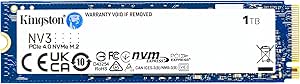 | Best Compact Gen4 Upgrade | Capacity: 1 TB | Model: SNV3S/1000G | Form factor: M.2 2280 | VIEW LATEST PRICE | See Our Full Breakdown |
| Samsung T9 Portable SSD, 2TB, USB 3.2 Gen 2×2, Up to 2,000 MB/s | 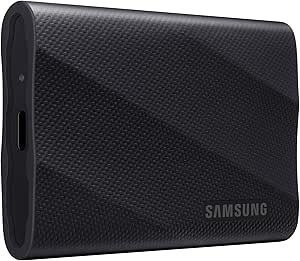 | Best Premium Portable SSD | Storage capacity: 2 TB | Interface: USB 3.2 Gen 2×2 | Maximum read speed: Up to 2,000 MB/s | VIEW LATEST PRICE | See Our Full Breakdown |
| ORICO J10 512GB M.2 NVMe PCIe Gen3 x4 SSD with Heatsink |  | Best Entry-Level Internal Upgrade | Storage capacity: 512 GB | Interface: NVMe, PCIe Gen3 x4 | Form factor: M.2 2280 | VIEW LATEST PRICE | See Our Full Breakdown |
| Black Friday SSD deal | Interface | Form factor | Capacity | Maximum read speed |
|---|---|---|---|---|
| SanDisk Optimus 5100 1TB NVMe | PCIe 4.0 x4 | M.2 2280 | 1 TB | Up to 7,100 MB/s |
| KingSpec 512GB M.2 NVMe Gen3x4 | PCIe Gen3x4 | M.2 2280 | 512 GB | Up to 2,400 MB/s |
| Samsung 990 PRO 2TB PCIe 4.0 M | PCIe 4.0 x4 | M.2 2280 | 2 TB | — |
| Sabrent Rocket XTRM Plus 2TB T | — | — | 2 TB | 2,700 MB/s |
| Crucial P310 2TB M.2 2280 PCIe | PCIe 4.0 x4 NVMe | M.2 2280 | 2 TB | — |
| BIWIN Black Opal NV7400 512GB | PCIe 4.0 x4 | M.2 2280 | 512 GB | Up to 7,450 MB/s |
| Crucial P310 1TB PCIe Gen4 NVM | PCIe Gen4 x4 NVMe | M.2 2280 | 1 TB | Up to 7,100 MB/s |
| Fanxiang S880E 1TB PCIe 4.0 NV | PCIe 4.0 x4 | M.2 2280 | 1 TB | Up to 7,000 MB/s |
| Samsung 9100 PRO 1TB PCIe 5.0 | PCIe 5.0 x4 | M.2 2280 | 1 TB | — |
| Samsung 990 1TB NVMe PCIe 4.0 | NVMe, PCIe 4.0 x4 | M.2 | 1 TB | — |
| SanDisk 1TB Portable SSD | USB 3.0 | — | — | Up to 1,000 MB/s |
| SIX X7400 1TB PCIe 4.0 NVMe M. | PCIe Gen4x4 NVMe | M.2 2280 | — | Up to 7,350 MB/s |
| Kingston NV3 1TB M.2 2280 PCIe | PCIe 4.0 x4 NVMe | M.2 2280 | 1 TB | — |
| Samsung T9 Portable SSD | USB 3.2 Gen 2×2 | Portable | — | Up to 2,000 MB/s |
| ORICO J10 512GB M.2 NVMe PCIe | NVMe, PCIe Gen3 x4 | M.2 2280 | — | Up to 2,800 MB/s |
More Details on Our Top Picks
SanDisk Optimus 5100 1TB NVMe SSD, PCIe 4.0, M.2 2280
For a Black Friday upgrade aimed at a laptop or a general-purpose desktop, the SanDisk Optimus 5100 pairs a compact M.2 2280 design with fast PCIe 4.0 speeds and a power-efficient approach. Its stated read and write rates are close to the Samsung 990 PRO 2TB, but the Samsung doubles the capacity and is the stronger fit for heavier workloads or a large game library. The SanDisk’s 1TB capacity is more appropriate for a system refresh where power use and everyday responsiveness matter more than maximum space.
The tradeoff is its QLC NAND, which may be less appealing for sustained, write-heavy work than a drive chosen for that kind of workload. SanDisk Dashboard adds drive monitoring and updates, while the five-year limited warranty is a useful support detail. Plan for a separate cable and enclosure if you need to migrate data from an existing drive.
Pros:- PCIe 4.0 read speeds up to 7,100 MB/s and write speeds up to 6,700 MB/s
- Power-efficient design suits mobile systems
- SanDisk Dashboard supports monitoring and updates
- Five-year limited warranty
Cons:- QLC NAND may be a less suitable fit for sustained, write-heavy workloads
- Data migration may require a separate cable and enclosure
- 1TB offers less room than the 2TB Samsung 990 PRO and Crucial P310 options
Best for: Laptop owners replacing a system drive who want PCIe 4.0 performance, 1TB of capacity, and a power-conscious design.
Not ideal for: Video editors and other users with frequent, sustained large writes who would rather avoid a QLC-based drive; also skip it if you need 2TB.
- Capacity:1 TB
- Interface:PCIe 4.0 x4
- Form factor:M.2 2280
- Maximum read speed:Up to 7,100 MB/s
- Maximum write speed:Up to 6,700 MB/s
- NAND:8th generation SanDisk BiCS QLC 3D CBA
- Compatibility:Desktop and laptop
- Warranty:5-year limited warranty
Our verdict“Choose the Optimus 5100 for a power-conscious 1TB PCIe 4.0 upgrade, but pick a 2TB drive for a larger library or more demanding storage needs.”
KingSpec 512GB M.2 NVMe Gen3x4 2280 Internal SSD
The KingSpec 512GB is the practical pick here for a basic system refresh when capacity needs are modest and PCIe 4.0 speed is not the goal. Its stated read speed of up to 2,400 MB/s is well below the SanDisk Optimus 5100 and other Gen4 options in this roundup, so it makes more sense for everyday computing than for a performance-focused gaming or editing setup. The 512GB capacity can suit an operating system, core applications, and a limited set of files, but it leaves less room than any of the 1TB or 2TB alternatives.
It does include S.M.A.R.T., TRIM, wear leveling, and error correction, along with support for several Windows and Linux distributions. Those features help make it a capable straightforward drive, but the PCIe Gen3x4 interface sets a lower speed ceiling. Check that the computer’s M.2 slot supports NVMe before buying; an M.2 slot alone does not guarantee compatibility.
Pros:- M.2 2280 PCIe Gen3x4 design for compatible systems
- Read speeds listed up to 2,400 MB/s
- Includes S.M.A.R.T., TRIM, wear leveling, and LDPC error correction
- Supports Windows and several Linux distributions
Cons:- 512GB capacity is limited beside the 1TB and 2TB drives in this roundup
- Gen3x4 interface is slower than the PCIe 4.0 alternatives
- Requires an M.2 slot that supports PCIe NVMe
Best for: Owners of compatible older laptops or desktops who need a modest-capacity NVMe drive for an operating system and everyday applications.
Not ideal for: Gamers, creators, or users storing large media libraries who need more than 512GB or want the higher speeds of a PCIe 4.0 drive such as the SanDisk Optimus 5100.
- Capacity:512 GB
- Interface:PCIe Gen3x4
- Form factor:M.2 2280
- Maximum read speed:Up to 2,400 MB/s
- Data transfer rate:2,200 MB/s
- Flash memory:3D NAND TLC/QLC
- Supported operating systems:Windows 7–10, RHEL, CentOS, Linux, Ubuntu
- Warranty:3 years
Our verdict“Pick the KingSpec for a compatible, modest-capacity everyday upgrade, not for a high-speed gaming drive or a large storage library.”
Samsung 990 PRO 2TB PCIe 4.0 M.2 2280 NVMe SSD
The Samsung 990 PRO 2TB earns the premium role by combining a generous capacity with the highest listed sequential speeds among these internal PCIe 4.0 drives. Its read speed reaches 7,450 MB/s, slightly above the Crucial P310 2TB and SanDisk Optimus 5100, while 6,900 MB/s write speed supports demanding transfers and large project files. The added space also makes it a more practical single-drive choice for a substantial PC or game library than the 1TB SanDisk.
That performance only pays off in a system with PCIe 4.0 support; older or slower platforms will limit the benefit. It is listed for PlayStation 5 as well, though a separate heatsink is recommended for optimal PS5 thermal performance. Compared with the simpler Crucial P310, the Samsung is the pick for buyers prioritizing speed and capacity, not those who only need a basic storage expansion.
Pros:- 2TB capacity provides room for games, applications, and large files
- Sequential read speeds up to 7,450 MB/s and write speeds up to 6,900 MB/s
- PCIe 4.0 x4 M.2 2280 interface
- Compatible with desktops, laptops, and supported PlayStation 5 systems
Cons:- Requires PCIe 4.0 support to reach its performance potential
- A separate heatsink is recommended for optimal PS5 thermal performance
- May be more drive than basic storage-upgrade buyers need
Best for: PC builders, laptop owners, and PS5 users who want a fast 2TB internal drive and have a compatible PCIe 4.0 system.
Not ideal for: Buyers with PCIe 3.0-only systems or anyone seeking a basic storage expansion who would not benefit from its higher performance; PS5 owners unwilling to add a heatsink should also look elsewhere.
- Capacity:2 TB
- Interface:PCIe 4.0 x4
- Form factor:M.2 2280
- Sequential read speed:Up to 7,450 MB/s
- Sequential write speed:Up to 6,900 MB/s
- Weight:9.07 g
- Dimensions:3.16 × 0.87 × 0.09 in
- Compatibility:Desktop, laptop, PlayStation 5
Our verdict“Choose the 990 PRO for a fast, high-capacity PCIe 4.0 drive, especially when a compatible PC or PS5 can make use of it.”
Sabrent Rocket XTRM Plus 2TB Thunderbolt 3 Portable SSD
Unlike the internal M.2 drives in this roundup, the Sabrent Rocket XTRM Plus is a ready-to-connect portable SSD for moving large files between compatible computers. Its Thunderbolt 3 connection supports speeds up to 2,700 MB/s, giving it a clear advantage over the Samsung T9 Portable SSD when a Thunderbolt 3 port is available. The aluminum shell helps dissipate heat, and the removable silicone sleeve adds a layer of protection for travel. Bus power and included Thunderbolt 3 and USB-A to USB-C cables also make setup straightforward.
The central tradeoff is port-dependent speed: USB 3.2 Gen 2×1 fallback is listed at up to 900 MB/s, far below its Thunderbolt ceiling. It is also an external drive, so it does not replace the internal storage upgrade offered by the Samsung 990 PRO or Crucial P310. Choose it for portable workflows, not as a universal speed boost across every computer.
Pros:- Thunderbolt 3 transfers listed up to 2,700 MB/s
- 2TB portable capacity for large work files
- Aluminum shell aids heat dissipation and removable silicone sleeve adds protection
- Bus-powered, with Thunderbolt 3 and USB-A to USB-C cables included
Cons:- Full stated speed requires a Thunderbolt 3 connection
- USB 3.2 Gen 2×1 fallback is limited to up to 900 MB/s
- Cannot serve as an internal M.2 drive upgrade like the Samsung 990 PRO or Crucial P310
Best for: Photographers, video creators, and mobile professionals who regularly move large files between computers with Thunderbolt 3.
Not ideal for: Buyers who need an internal M.2 upgrade or users whose computers lack Thunderbolt 3 and would rely on the slower USB fallback.
- Capacity:2 TB
- Connectivity:Thunderbolt 3, USB 3.2 Gen 2×1, USB-C
- Maximum read speed:2,700 MB/s
- USB fallback speed:Up to 900 MB/s
- Weight:120 g
- Dimensions:4.13 × 1.77 × 0.55 in
- Materials:Aluminum shell with removable silicone sleeve
- Compatibility:Windows, macOS, Linux
Our verdict“Choose the Rocket XTRM Plus for portable 2TB storage when your workflow can use Thunderbolt 3; otherwise, its speed advantage narrows.”
Crucial P310 2TB M.2 2280 PCIe 4.0 x4 NVMe Internal SSD
The Crucial P310 2TB is a strong fit for buyers who want a large internal drive with PCIe 4.0 connectivity but do not need the very highest listed speeds in the group. Its read speed reaches 7,100 MB/s, matching the SanDisk Optimus 5100 and sitting below the Samsung 990 PRO’s 7,450 MB/s. For adding space to a desktop or compatible PS5, that difference makes the Crucial a capacity-focused alternative rather than the premium performance pick.
The M.2 2280 PCIe 4.0 x4 format keeps it aligned with common internal upgrade slots, and its 2TB capacity gives more room than the 1TB SanDisk. The listed two-year warranty is shorter than the SanDisk’s five-year limited warranty, and installation requires an M.2 slot with PCIe x4 connectivity. Confirm system support before choosing it, particularly for a console installation.
Pros:- 2TB capacity for a larger game or application library
- PCIe 4.0 x4 NVMe interface in an M.2 2280 form factor
- Read speeds listed up to 7,100 MB/s
- Listed as compatible with desktops and PlayStation 5
Cons:- Requires an M.2 slot with PCIe x4 connectivity
- Listed two-year warranty is shorter than the SanDisk Optimus 5100’s five-year limited warranty
- Lower stated read speed than the Samsung 990 PRO 2TB
Best for: Desktop and compatible PS5 owners who want 2TB of internal PCIe 4.0 storage for games, applications, and everyday files.
Not ideal for: Buyers who prioritize the highest listed sequential speeds or want a longer stated warranty; it also will not fit systems without a compatible PCIe x4 M.2 slot.
- Capacity:2 TB
- Form factor:M.2 2280
- Interface:PCIe 4.0 x4 NVMe
- NAND type:3D NAND
- Read speed:Up to 7,100 MB/s
- Media speed:7,000 MB/s
- Compatible devices:Desktop
- Compatible game console:Sony PlayStation 5
- Warranty:2 years
Our verdict“Pick the P310 when 2TB of PCIe 4.0 internal storage matters more than matching the Samsung 990 PRO’s higher listed read speed.”
BIWIN Black Opal NV7400 512GB PCIe 4.0 NVMe M.2 SSD
The BIWIN Black Opal NV7400 pairs a small 512GB capacity with unusually high stated PCIe 4.0 speeds: up to 7,450 MB/s read and 6,500 MB/s write. That makes it a stronger fit for a focused OS-and-app upgrade than for a growing game library. Compared with the Crucial P310 1TB, it gives up half the storage while claiming slightly higher peak sequential speeds, so buyers are choosing headline performance over room for more installs. Its M.2 2280 format and stated PS5 compatibility broaden its uses, though a PS5 owner should check the console’s fit and cooling requirements before buying. The five-year warranty and TRIM support add practical reassurance, but they do not solve the capacity ceiling.
Pros:- High stated sequential speeds for a PCIe 4.0 drive
- M.2 2280 form factor works with compatible desktops and laptops
- Listed as compatible with PlayStation 5
- TRIM support and a five-year warranty
Cons:- 512GB may fill quickly with modern games and large media files
- Offers less capacity than the 1TB Crucial P310 at the cost of prioritizing peak speed
- The supplied details do not specify an included heatsink
Best for: PC or PS5 owners who need a fast secondary drive for a limited set of games, apps, or system files.
Not ideal for: Players building a large game library or creators storing substantial media, since 512GB leaves less room than the 1TB Crucial P310.
- Capacity:512 GB
- Interface:PCIe 4.0 x4
- Form factor:M.2 2280
- Maximum read speed:Up to 7,450 MB/s
- Maximum write speed:Up to 6,500 MB/s
- Random read/write:Up to 1,000K IOPS
- Compatibility:Desktop PCs, laptops, PlayStation 5
- Warranty:5 years
Our verdict“Choose the NV7400 if you value high stated PCIe 4.0 speeds in a modest-capacity drive more than the extra storage offered by the Crucial P310.”
Crucial P310 1TB PCIe Gen4 NVMe M.2 2280 SSD
For a Black Friday SSD shortlist, the Crucial P310 1TB is the practical middle ground: it offers enough room for a useful game and app collection while retaining fast PCIe Gen4 performance, with stated reads up to 7,100 MB/s. Against the 512GB BIWIN NV7400, the P310 sacrifices a little peak read speed but doubles the capacity, a more meaningful trade for many everyday upgrades. It also works in PCIe Gen3 systems, where it can serve as a replacement without requiring a newer motherboard, and the Acronis True Image offer can help with cloning or backups. Its handheld compatibility list is specific rather than universal, and no heatsink is stated, so check device clearance and cooling needs before purchase.
Pros:- 1TB capacity gives more usable space than the 512GB BIWIN NV7400
- Fast stated Gen4 sequential read and write speeds
- Backward compatibility with PCIe Gen3 systems
- Acronis True Image offer supports cloning, backup, and data transfer
Cons:- Handheld compatibility is limited to select models
- No included heatsink is specified
- The BIWIN NV7400 lists a higher maximum sequential read speed
Best for: Laptop and desktop owners who want a 1TB PCIe 4.0 upgrade, including users moving an existing system to a new drive.
Not ideal for: Owners of handhelds outside the listed compatible models, or buyers who need a drive supplied with a heatsink.
- Capacity:1 TB
- Interface:PCIe Gen4 x4 NVMe
- Form factor:M.2 2280
- Maximum read speed:Up to 7,100 MB/s
- Maximum write speed:Up to 6,000 MB/s
- Weight:10 g
- Compatible handheld consoles:ROG Ally X, Lenovo Legion Go, AYANEO Kun
- Software offer:Acronis True Image for cloning, backing up, or transferring data
Our verdict“Pick the P310 for a balanced 1TB upgrade and cloning support, especially if your system has PCIe Gen3 rather than Gen4.”
Fanxiang S880E 1TB PCIe 4.0 NVMe M.2 SSD
The Fanxiang S880E makes a case for PS5 expansion with 1TB of storage, a standard M.2 2280 format, and stated compatibility with the console. Its graphite-coated copper and aluminum foil layers are intended to help manage heat, a relevant detail for a drive installed inside a compact system. Compared with the Crucial P310, its maximum read speed is close at 7,000 MB/s, but its stated write speed of 3,000 MB/s is much lower than the P310’s 6,000 MB/s. That gap matters more for sustained large transfers than for simply adding game storage. The five-year warranty and lifetime technical support are useful additions, but Mac users should skip it: the listing explicitly says it is not compatible with macOS.
Pros:- 1TB capacity and listed PlayStation 5 compatibility
- Up to 7,000 MB/s sequential read speed
- Graphite-coated copper and aluminum foil layers are designed to manage heat
- Five-year warranty and lifetime technical support
Cons:- Maximum stated write speed is 3,000 MB/s, half the Crucial P310’s stated figure
- Not compatible with macOS
- Plastic enclosure material is specified
Best for: PS5 owners seeking a 1TB internal expansion drive with thermal-control foil layers and listed console compatibility.
Not ideal for: Mac users and people who regularly move large files and want higher stated write speeds, such as those listed for the Crucial P310.
- Capacity:1 TB
- Interface:PCIe 4.0 x4
- Protocol:NVMe 2.0
- Form factor:M.2 2280
- Maximum read speed:Up to 7,000 MB/s
- Maximum write speed:Up to 3,000 MB/s
- Cooling:Graphite-coated copper foil and aluminum foil layers
- Warranty and support:5-year warranty; lifetime technical support
Our verdict“Choose the S880E for a 1TB PS5 expansion where listed compatibility and heat-management layers matter more than faster write speeds.”
Samsung 9100 PRO 1TB PCIe 5.0 M.2 2280 SSD
The Samsung 9100 PRO is the performance-first option here, with PCIe 5.0 and stated sequential speeds up to 14,700 MB/s read and 13,300 MB/s write. Those figures are far beyond the PCIe 4.0 Samsung 990 1TB, but the benefit depends on having a compatible PCIe 5.0 system and workloads that can use the extra throughput. For everyday gaming on a Gen4 PC, the 990 may be a more sensible fit; the 9100 PRO is better aimed at demanding transfers and content-creation work. Samsung Magician adds monitoring and firmware tools, while the 5nm controller is described as improving power efficiency over the 990 PRO. The tradeoffs are platform dependence and cooling: a separate heatsink is recommended for PS5 thermal performance, and performance varies with system configuration and firmware.
Pros:- Highest stated sequential speeds in this five-drive group
- High random read and write performance figures
- Samsung Magician supports drive monitoring and firmware updates
- 5nm controller is described as more power-efficient than the 990 PRO
Cons:- Full performance requires PCIe 5.0 system support
- A separate heatsink is recommended for PS5 thermal performance
- Actual performance can vary with system configuration and firmware
Best for: Content creators and power users with a PCIe 5.0 desktop who move large files or run storage-heavy workloads.
Not ideal for: PCIe 4.0-only PC owners seeking a straightforward gaming upgrade, or PS5 buyers who do not want to plan for a separate heatsink.
- Capacity:1 TB
- Interface:PCIe 5.0 x4
- Form factor:M.2 2280
- Maximum sequential read speed:Up to 14,700 MB/s
- Maximum sequential write speed:Up to 13,300 MB/s
- Random read speed:Up to 1,850K IOPS
- Random write speed:Up to 2,600K IOPS
- Controller:5nm
Our verdict“Choose the 9100 PRO when your PCIe 5.0 system and demanding workload can use its higher throughput; otherwise, the PCIe 4.0 Samsung 990 is a more grounded match.”
Samsung 990 1TB NVMe PCIe 4.0 Internal SSD
The Samsung 990 1TB offers a capable PCIe 4.0 option for buyers who want fast everyday storage without moving to the PCIe 5.0 platform required by the Samsung 9100 PRO. Its stated sequential speeds—up to 7,150 MB/s read and 6,450 MB/s write—put it in the same broad performance tier as the Crucial P310, while hardware encryption, TRIM, and drive-management tools give it a useful security and maintenance angle. The 1TB capacity suits a system drive or moderate game collection, but buyers needing a larger library should look to the 2TB Samsung 990 PRO listed elsewhere in this roundup. Performance can vary with firmware and system setup, and the listed write behavior depends on Intelligent TurboWrite operating within a specific transfer size, so peak figures are not a promise for every workload.
Pros:- Fast stated PCIe 4.0 sequential read and write speeds
- Hardware encryption and TRIM support
- Drive tools support firmware updates and health monitoring
- Listed for desktop and laptop use
Cons:- Does not offer the PCIe 5.0 speeds of the Samsung 9100 PRO
- 1TB may be restrictive for large game or media collections
- Write performance depends partly on Intelligent TurboWrite transfer conditions and system factors
Best for: Desktop and laptop owners seeking a 1TB PCIe 4.0 system drive with hardware encryption and built-in health and firmware tools.
Not ideal for: Users with PCIe 5.0 systems chasing the highest available throughput, or buyers who need more than 1TB for games and creative files.
- Capacity:1 TB
- Interface:NVMe, PCIe 4.0 x4
- Form factor:M.2
- Maximum sequential read speed:Up to 7,150 MB/s
- Maximum sequential write speed:Up to 6,450 MB/s
- Random read IOPS:Up to 700K
- Random write IOPS:Up to 1,100K
- Features:Hardware encryption, TRIM, firmware updates, and health monitoring
Our verdict“Choose the Samsung 990 for a feature-rich 1TB PCIe 4.0 system drive, but step up to the 9100 PRO only if your platform and workload can use PCIe 5.0.”
SanDisk 1TB Portable SSD, Up to 1000MB/s Read Speed, Black
For a Black Friday SSD deal aimed at portable everyday storage, this SanDisk pairs 1TB capacity with a pocket-sized, 1.12-ounce body. Its USB-C connection works without drivers or setup, making it simpler to move files between compatible computers, phones, and tablets than an internal M.2 drive such as the Kingston NV3, which requires an available slot and installation. The listed read speed reaches 1,000 MB/s, and drop protection up to 2 meters adds reassurance for a drive that travels in a bag.
The tradeoff is speed and capacity: the Samsung T9 offers 2TB and up to 2,000 MB/s read and write speeds with compatible hardware, while this SanDisk’s write speed is not specified and is described as lower than its maximum read speed. I’d choose it for straightforward portable storage, not sustained high-speed editing or buyers who need a verified write-speed figure.
Pros:- Pocket-sized body weighs 1.12 ounces.
- USB-C connection requires no drivers or setup.
- Drop protection is rated up to 2 meters.
- Up to 1,000 MB/s read speed for portable file access.
Cons:- Write speed is lower than the stated maximum read speed, with no specific figure provided.
- Its 1TB capacity is half the Samsung T9’s 2TB.
- The listed interface is USB 3.0, so host connection and interface details should be checked against the intended setup.
Best for: Students and mobile workers who want a lightweight USB-C drive for carrying files between compatible computers, phones, and tablets.
Not ideal for: Video editors moving large projects frequently or buyers needing 2TB capacity and documented high write speeds; the Samsung T9 is a stronger fit for those needs.
- Storage capacity:1 TB
- Interface:USB 3.0
- Connector:USB Type-C
- Maximum read speed:Up to 1,000 MB/s
- Drop protection:Up to 2 meters
- Weight:1.12 ounces
- Dimensions:1.77 × 3.35 × 0.39 inches
- Compatible devices:Desktop, laptop, smartphone, tablet
Our verdict“Choose this SanDisk for light, easy-to-connect 1TB portable storage, but pick the Samsung T9 for greater capacity and higher stated transfer speeds.”
SIX X7400 1TB PCIe 4.0 NVMe M.2 2280 SSD with Heatsink
The SIX X7400 is the clearest fit here for a buyer seeking a 1TB internal upgrade with a heatsink already included. Its PCIe Gen4x4 interface and claimed read speed of up to 7,350 MB/s make it a faster-on-paper alternative to the PCIe Gen3 ORICO J10, while the included installation tools may reduce the extra parts a first-time installer needs to source. The listed compatibility includes PS5, desktops, and laptops, giving it broader stated use than the ORICO, which is explicitly not PS5-compatible.
That headline speed is only a maximum read figure: no write speed is provided, so I wouldn’t choose it based on expectations for sustained transfers or compare it as a complete performance picture with the Kingston NV3, which lists both read and write figures. The five-year limited warranty is a useful stated support term, but buyers should verify fit and platform requirements before installation.
Pros:- PCIe Gen4x4 interface with a stated maximum read speed of 7,350 MB/s.
- Heatsink and installation tools are included.
- Listed as compatible with PS5, desktops, and laptops.
- Includes a five-year limited warranty.
Cons:- No write-speed figure is provided.
- At 1TB, it offers less capacity than the 2TB Samsung T9 portable SSD.
- Internal M.2 installation is less convenient than connecting a portable USB-C drive.
Best for: PS5 owners and desktop builders who want a 1TB PCIe 4.0 M.2 drive with a heatsink and installation tools in the package.
Not ideal for: Buyers choosing based on fully documented read-and-write performance; the product data gives a maximum read speed but no write-speed figure.
- Storage capacity:1 TB
- Interface:PCIe Gen4x4 NVMe
- Form factor:M.2 2280
- Maximum read speed:Up to 7,350 MB/s
- Compatibility:Desktop, laptop, PS5
- Heatsink:Included
- Warranty:5-year limited warranty
Our verdict“Pick the SIX X7400 for a 1TB internal upgrade when its included heatsink and PS5 compatibility matter more than having a published write-speed figure.”
Kingston NV3 1TB M.2 2280 PCIe 4.0 NVMe SSD
The Kingston NV3 makes sense for a laptop or desktop upgrade where a single-sided M.2 2280 design and moderate heat and power needs matter alongside PCIe 4.0 speed. Its stated read speed reaches 6,000 MB/s, and the listed write-speed figures are lower: the specifications say up to 4,000 MB/s, while the product description says up to 5,000 MB/s. That conflict makes it harder to set expectations than with the ORICO J10, whose read and write figures are stated consistently, though the ORICO is a slower Gen3 drive.
There’s also conflicting warranty information: item details say three years, while the description says five. I’d treat both the write-speed and warranty claims as unresolved and confirm them with the seller before buying. Compared with the SIX X7400, the Kingston has a lower maximum read claim but its compact, single-sided layout may suit tighter internal clearances; it does not include a listed heatsink.
Pros:- PCIe 4.0 x4 NVMe interface with up to 6,000 MB/s stated read speed.
- Single-sided M.2 2280 design conserves space.
- Designed for lower power consumption and reduced heat.
- Lightweight at 4.54 g.
Cons:- Write-speed claims conflict: up to 4,000 MB/s in specifications versus up to 5,000 MB/s in the description.
- Warranty claims conflict: three years in item details versus five years in the description.
- No heatsink is listed, unlike the SIX X7400.
Best for: Laptop and desktop owners upgrading to a compact PCIe 4.0 M.2 drive who value a single-sided layout and lower-power design.
Not ideal for: Buyers who need firm warranty terms, a reliable write-speed comparison, or a heatsink included; the product information conflicts on both warranty and write speed.
- Capacity:1 TB
- Model:SNV3S/1000G
- Form factor:M.2 2280
- Interface:PCIe 4.0 x4 NVMe
- Read speed:Up to 6,000 MB/s
- Write speed:Conflicting claims: up to 4,000 MB/s in item specifications; up to 5,000 MB/s in product description
- Weight:4.54 g
- Warranty:Conflicting claims: 3 years in item details; 5-year limited warranty in product description
Our verdict“Choose the Kingston NV3 for a space-conscious Gen4 upgrade only if you’re comfortable confirming its conflicting write-speed and warranty details first.”
Samsung T9 Portable SSD, 2TB, USB 3.2 Gen 2×2, Up to 2,000 MB/s
Among these five picks, the Samsung T9 is the premium portable choice for buyers who need 2TB and fast read and write transfers in a drive that can move between devices. It lists up to 2,000 MB/s in both directions, double the SanDisk portable SSD’s stated maximum read speed, and its thermal management is designed to help with longer transfer sessions. Hardware encryption and Magician Software add tools for protecting data, updating firmware, and checking drive health.
The catch is that the full speed depends on a USB 3.2 Gen 2×2 host, compatible cable, and UASP mode. Without that setup, performance may fall short of the headline figures. The SanDisk is smaller and simpler for basic carry-around storage; the T9 is the better match when capacity, security features, and speed matter more than minimizing requirements. Host compatibility should be checked before buying.
Pros:- 2TB portable capacity exceeds the 1TB SanDisk portable SSD.
- Up to 2,000 MB/s read and write speeds with compatible equipment.
- Hardware encryption and Magician Software support drive management.
- Thermal management helps control heat during extended use.
Cons:- Maximum speeds require a compatible USB 3.2 Gen 2×2 host, cable, and UASP mode.
- Compatibility and performance may vary by host device.
- Portable USB storage is not a direct replacement for an internal M.2 upgrade such as the SIX X7400.
Best for: Photographers, video creators, and frequent travelers who need 2TB of portable storage, hardware encryption, and fast transfers on compatible USB 3.2 Gen 2×2 equipment.
Not ideal for: People using devices without USB 3.2 Gen 2×2 support or anyone who only needs basic portable file storage; the SanDisk is a simpler alternative.
- Storage capacity:2 TB
- Interface:USB 3.2 Gen 2×2
- Maximum read speed:Up to 2,000 MB/s
- Maximum write speed:Up to 2,000 MB/s
- Form factor:Portable
- Features:Hardware encryption, thermal management, Magician Software
- Compatible devices:Gaming consoles, Mac, PC, tablet, iPhone 15/16
Our verdict“Choose the Samsung T9 for high-capacity portable work and security features if your host supports USB 3.2 Gen 2×2; otherwise, its speed advantage may not be realized.”
ORICO J10 512GB M.2 NVMe PCIe Gen3 x4 SSD with Heatsink
The ORICO J10 is the entry-level internal pick for a buyer who needs a straightforward M.2 upgrade and doesn’t need a large game or media library on one drive. Its 512GB capacity is half that of the 1TB Kingston NV3 and SIX X7400, while its PCIe Gen3 x4 interface is a generation behind their Gen4 designs. The tradeoff is clearly stated performance: up to 2,800 MB/s read and 1,300 MB/s write, plus an aluminum alloy heatsink and thermal film to help manage heat.
It suits compatible laptops, desktops, and DIY external enclosures, with S.M.A.R.T. monitoring for drive-status checks. Unlike the SIX X7400, however, it is not PS5-compatible. The product also notes that usable capacity can vary and performance depends on the system, so I’d treat those speed figures as ceilings rather than guaranteed results. Buyers wanting more space or faster Gen4 performance should look at the Kingston or SIX instead.
Pros:- Read and write speeds are both specified: up to 2,800 MB/s and 1,300 MB/s.
- Aluminum alloy heatsink and thermal film help dissipate heat.
- Supports S.M.A.R.T. monitoring.
- M.2 2280 format suits compatible laptops, desktops, and DIY external enclosures.
Cons:- 512GB capacity is lower than the 1TB Kingston NV3 and SIX X7400.
- PCIe Gen3 x4 is slower than the Gen4 interfaces in those alternatives.
- Not compatible with PS5, and actual usable capacity and performance can vary.
Best for: Budget-minded laptop and desktop owners who need a 512GB M.2 replacement or a compatible drive for a DIY external SSD enclosure.
Not ideal for: PS5 owners, users storing large game or video libraries, and buyers seeking PCIe 4.0 speeds; the SIX X7400 offers PS5 compatibility and the Kingston NV3 offers a faster Gen4 interface.
- Storage capacity:512 GB
- Interface:NVMe, PCIe Gen3 x4
- Form factor:M.2 2280
- Maximum read speed:Up to 2,800 MB/s
- Maximum write speed:Up to 1,300 MB/s
- Cache and NAND:SLC cache, 3D NAND
- Heatsink:Aluminum alloy with thermal film
- Compatibility:Compatible laptops and desktop PCs; not compatible with PS5
Our verdict“Pick the ORICO J10 for a modest-capacity internal upgrade with a heatsink, but skip it for PS5 use or a larger, faster Gen4 drive.”
How We Picked
I compared these 15 drives by intended use, interface, capacity, and installation needs, rather than treating every SSD as a direct substitute. Internal M.2 models were judged on how well their generation and capacity fit common desktop and laptop upgrades; portable models were compared on their external connection and convenience. I also weighed practical details such as whether a heatsink is included, whether a computer needs a compatible slot or port, and whether the advertised connection can be used by the buyer’s setup.
The ranking favors versatility and a clear buyer fit over the newest specification alone. That puts the 2TB Samsung 990 PRO ahead as a broadly capable internal choice, while the Crucial P310 2TB and Samsung T9 earn attention for capacity and external convenience. The Samsung 9100 PRO is a more specialized premium option because PCIe 5.0 benefits only compatible systems; smaller-capacity and lesser-known models rank for narrower upgrade or budget needs. Black Friday availability can vary, so I focus on product fit rather than temporary deal claims.
| Black Friday SSD deal | Form factor |
|---|---|
| SanDisk Optimus 5100 1TB NVMe | M.2 2280 |
| KingSpec 512GB M.2 NVMe Gen3x4 | M.2 2280 |
| Samsung 990 PRO 2TB PCIe 4.0 M | M.2 2280 |
| Sabrent Rocket XTRM Plus 2TB T | — |
| Crucial P310 2TB M.2 2280 PCIe | M.2 2280 |
| BIWIN Black Opal NV7400 512GB | M.2 2280 |
| Crucial P310 1TB PCIe Gen4 NVM | M.2 2280 |
| Fanxiang S880E 1TB PCIe 4.0 NV | M.2 2280 |
| Samsung 9100 PRO 1TB PCIe 5.0 | M.2 2280 |
| Samsung 990 1TB NVMe PCIe 4.0 | M.2 |
| SanDisk 1TB Portable SSD | — |
| SIX X7400 1TB PCIe 4.0 NVMe M. | M.2 2280 |
| Kingston NV3 1TB M.2 2280 PCIe | M.2 2280 |
| Samsung T9 Portable SSD | Portable |
| ORICO J10 512GB M.2 NVMe PCIe | M.2 2280 |
Factors to Consider When Choosing Black Friday SSD Deals
Before choosing from a Black Friday SSD shortlist, I’d match the drive to the device first and the performance claims second. These four checks can prevent a technically impressive SSD from becoming an incompatible or unnecessary purchase.
Check the Slot, Form Factor, and Drive Generation
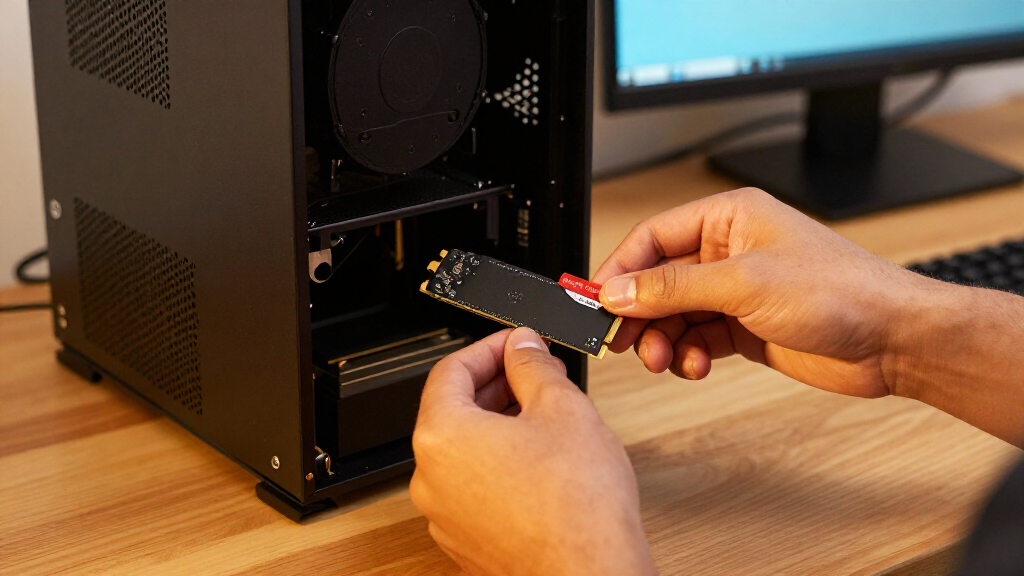
An M.2 label describes the shape and connector, but it does not by itself confirm that a drive will work in your computer. Check the device manual for supported lengths, NVMe or SATA requirements, and PCIe generation before ordering. A PCIe 5.0 drive such as the Samsung 9100 PRO can fit an M.2 slot yet run at a lower generation if the system does not support Gen5. That may still be useful for a planned system upgrade, but it is a poor reason to pay for performance your current machine cannot use. For laptops, also check clearance and whether the existing drive is single-sided or double-sided. Compatibility should be settled before comparing headline speeds.
Choose Capacity Around Your Actual Storage Pattern
Capacity needs vary more than benchmark needs: an operating-system drive, a game library, and a video archive place different demands on available space. A 512GB model can work for a focused upgrade or secondary drive, but it leaves less room for large games and media than the 1TB or 2TB options in this roundup. Buying too little can lead to frequent file shuffling or another upgrade sooner than expected. Buying far more than you can use may divert money from a better-matched interface or portable backup drive. Check how much space your current files occupy and leave room for future growth. For a drive holding irreplaceable files, capacity does not replace a separate backup.
Compare Host Connections Before Paying for Speed
Portable SSDs are only as fast as the link between the drive and the device, and USB or Thunderbolt support can differ by computer. The Samsung T9’s USB 3.2 Gen 2×2 connection and the Sabrent Rocket XTRM Plus’s Thunderbolt 3 interface may not reach their intended performance on every port. A drive can still function through a slower compatible connection, but transfers may take longer than the headline figure suggests. Check the exact port specification, cable, and any system limitations before choosing an external model. If you move large files often, connection compatibility may matter more than a small difference in drive capacity. If you mainly need occasional backups, convenience and broad compatibility may carry greater weight.
Treat Heatsinks and Physical Clearance as Compatibility Questions
A heatsink can help manage heat during sustained workloads, but it also adds height and may conflict with a motherboard’s built-in M.2 cover or a laptop’s limited space. Models such as the SIX X7400 and ORICO J10 include heatsinks, so check the product dimensions and your device layout rather than assuming they fit every slot. Some motherboards provide their own thermal plates, which may make an attached heatsink unnecessary or unsuitable. For short everyday tasks, the cooling setup may matter less than correct installation and airflow. For long transfers or demanding workloads, thermal limits deserve more attention. Match the drive’s physical design to the system before choosing by feature list.
Separate Internal Upgrades From Portable Storage
An internal NVMe drive is suited to expanding a compatible computer, while a portable SSD is easier to carry between devices and keep separate from the host machine. They are not interchangeable choices: an M.2 drive requires a supported slot or enclosure, while a portable drive uses an external cable and port. Some external models use faster connections than others, but the fastest connection is useful only when your devices support it. Also think about handling: portable drives are exposed to travel, cable wear, and loss, so a single mobile copy is not a complete backup plan. If you need both computer expansion and a safe copy of important files, plan for separate storage roles. This avoids buying a fast drive that does not solve the problem you actually have.
Use Black Friday to Compare Fit, Not Just the Deal Label
Seasonal listings can make a drive look like a bargain even when its capacity or interface does not suit your system. Compare the exact model, storage size, and connection type, since similar product names can refer to different configurations. A higher-generation drive is not automatically a better purchase if your computer cannot use that generation or your workload rarely makes use of the extra speed. Paying more can make sense for capacity, a required external interface, or a planned compatible upgrade—not simply for the largest number on a spec sheet. Check the return policy and manufacturer warranty details, especially for a lesser-known model. The best deal is the one that fits the device and avoids a second purchase to solve the same storage need.
Frequently Asked Questions
Should I choose the Samsung 9100 PRO PCIe 5.0 drive if my computer currently supports PCIe 4.0?
It can work in a compatible M.2 NVMe slot, but a PCIe 4.0 system will limit the drive to that generation’s link speed. That means the main reason to choose the 9100 PRO would be a planned move to a compatible PCIe 5.0 platform, not an immediate speed gain on your current computer. If you want a drive for today’s setup, the Samsung 990 PRO or a Crucial P310 may be a more direct match. Check your motherboard or laptop specifications before buying, including supported M.2 lengths and any slot-sharing limits. Choose the newer drive only if its future use justifies the extra specialization.
Can I use the Samsung T9 or Sabrent Rocket XTRM Plus at full speed with any USB-C port?
No. A USB-C connector describes the shape of the port, not the data standard or transfer speed it supports. The Samsung T9’s USB 3.2 Gen 2×2 performance requires compatible host support, while the Sabrent Rocket XTRM Plus is designed around Thunderbolt 3. With a slower or different port, either drive may still connect through a suitable cable or adapter but operate below its intended speed. Check the exact port specifications on both the computer and drive before choosing between them. For frequent large transfers, host compatibility can be more consequential than the drive’s headline speed.
Is a 512GB SSD enough for a Black Friday upgrade?
A 512GB drive can suit a modest operating-system upgrade, a secondary drive, or a system that stores most files elsewhere. It is less comfortable for a growing game collection, large creative projects, or keeping many media files on the same drive. Compare the drive’s usable space with your current storage use, then allow room for new files rather than buying to the exact amount you need today. If you expect to keep the drive for several years, a 1TB option may reduce the chance of another upgrade. The best choice depends on workload and expansion options, not capacity alone.
Should I buy an SSD with an included heatsink if my motherboard already has an M.2 cover?
Not automatically. An attached heatsink can conflict with a motherboard’s M.2 cover or exceed the clearance available in a compact case or laptop. Check the motherboard instructions and the drive’s dimensions to see whether the installed parts can coexist. If the motherboard cover is intended to cool an M.2 drive, a bare drive may be the simpler fit. An included heatsink can help in a system without built-in M.2 cooling, especially during sustained workloads. Prioritize physical compatibility over the assumption that more cooling hardware is always better.
For a new PC, should I buy one 2TB SSD or a smaller SSD plus a portable drive?
Choose one 2TB internal drive if you want a simple setup for applications, games, and active files on a compatible computer. A smaller internal drive plus a portable SSD makes more sense when you need files available across devices or want a separate destination for backups. The portable option adds flexibility, but it depends on an external port and cable, and a drive carried with your computer can be lost or damaged alongside it. For important files, keep another copy in a separate location rather than relying on one portable drive. Compare your need for internal space with your need for mobility before splitting the storage budget.
Conclusion
For most buyers building or upgrading a compatible PCIe 4.0 system, I’d choose the Samsung 990 PRO 2TB as the best overall because it pairs a capable internal interface with more room than the 1TB picks. The Crucial P310 1TB is my value-oriented choice for a straightforward capacity-conscious internal upgrade, while the Samsung 9100 PRO is the premium pick for buyers with a compatible PCIe 5.0 system and a reason to prioritize the newer interface. For beginners, I’d start by matching the Crucial P310 2TB to a verified M.2 NVMe slot; its familiar internal-drive role avoids the extra port questions that come with portable models. For frequent external transfers, choose between the Samsung T9 and Sabrent Rocket XTRM Plus based on your device’s USB or Thunderbolt support. If portability matters more than maximum transfer speed, the SanDisk Portable SSD offers a simpler external-storage role. Match the deal to your device, capacity needs, and connection before picking a winner.
Black Friday Picks

Oral-B iO Series 7 Deep Clean + Protect Rechargeable Electric Toothbrush, Black, with 2 Brush Heads and Charging Travel Case
As an affiliate, we earn on qualifying purchases.