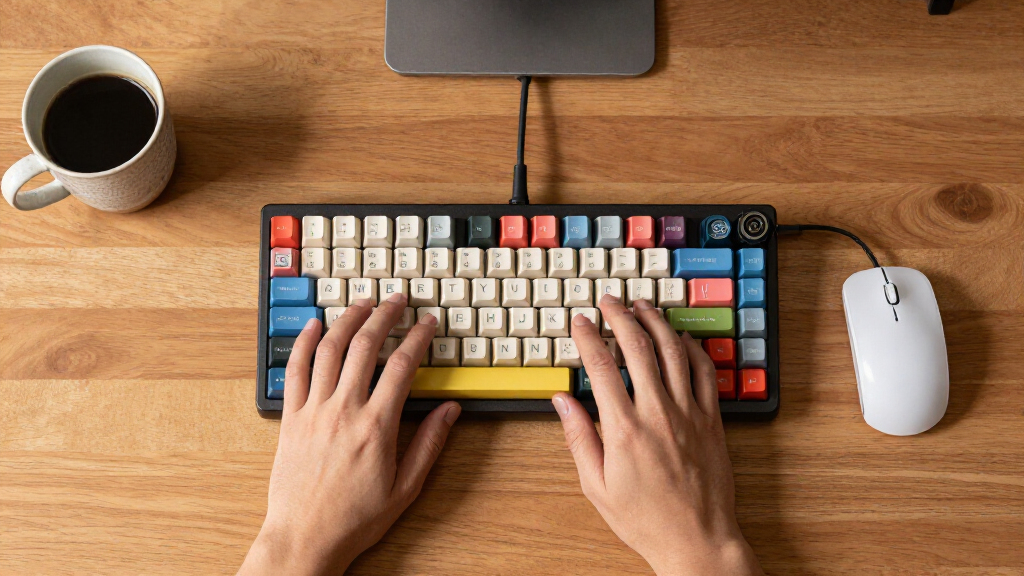

The Keychron V5 Max is my best overall pick among mechanical keyboards for programmers because its 96% layout keeps a number pad while leaving more desk space than a full-size board. The Keychron V6 8K suits programmers who want a wired full-size layout with extensive customization, while the Keychron K3 Version 2 is a better fit for a slim, low-profile setup. The main tradeoffs are compactness versus dedicated keys, wireless flexibility versus a direct wired connection, and customization versus simplicity. Switch feel and noise matter too, especially in shared offices. Read on for the full comparison and guidance on which layout and feature set fits your work.

Get business pricing on monitors, keyboards and dev gear
- Business-only prices and quantity discounts
- Tax-exempt purchasing
- Multiple users, one account, clear invoices
Key Takeaways
- The Keychron V5 Max is the strongest all-round fit: its 96% layout retains a number pad and trims bulk, a useful balance for coding and desk space.
- Wired and wireless picks serve different work habits: the V6 8K emphasizes a full-size wired setup, while the V5 Max, K3 Version 2, and several 96% options allow more placement flexibility.
- Hot-swap support is a meaningful upgrade path, not a requirement: models such as the V5 Max, V6, Redragon K671, and AULA F99 let owners change compatible switches without replacing the whole keyboard.
- Displays and knobs are niche conveniences: several models, including the Keymatic M98 and RK Royal Kludge S98, add controls that can help with shortcuts or media, but they do not replace a layout and typing feel that suit daily coding.
- A compact layout can save space but may add adjustment time: 75% and low-profile boards such as the AULA F75 Pro and Keychron K3 Version 2 give up some keys or key height compared with full-size and 96% alternatives.
| Redragon K671 Wired Mechanical Gaming Keyboard with Hot-Swappable Red Switches |  | Best Wired Full-Size Value | Layout: 104-key QWERTY | Switch type: Linear red, hot-swappable | Connectivity: Wired | VIEW LATEST PRICE | See Our Full Breakdown |
| ProtoArc K310 Pro Backlit Wireless Mechanical Keyboard |  | Best for Multi-Device Work | Layout: 108-key QWERTY | Switch type: Linear red | Connectivity: Bluetooth and 2.4 GHz USB receiver | VIEW LATEST PRICE | See Our Full Breakdown |
| SteelSeries Apex 5 Hybrid Mechanical Gaming Keyboard with OLED Display and RGB Lighting |  | Best for Tactile Feedback and On-Board Information | Layout: 104-key AZERTY | Switch type: Hybrid blue, tactile and clicky | Switch lifespan: Rated for 20 million keypresses | VIEW LATEST PRICE | See Our Full Breakdown |
| SOLAKAKA KI99 Pro 96% Wireless Mechanical Keyboard, Gradient Black |  | Best for Customizable Wireless Typing | Layout: 96%, 99-key QWERTY | Switch type: Linear, hot-swappable | Hot-swap support: 3-pin and 5-pin switches | VIEW LATEST PRICE | See Our Full Breakdown |
| AULA F99 Wireless Mechanical Keyboard, 99-Key, Hot-Swappable, RGB | 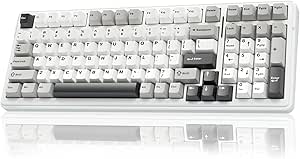 | Best for Switching Among Multiple Devices | Layout: 96%, 99 keys | Switch type: Pre-lubed linear | Hot-swap support: 3-pin and 5-pin switches | VIEW LATEST PRICE | See Our Full Breakdown |
| Keymatic M98 Wireless Mechanical Keyboard with Display and Knob |  | Best for Display and On-Keyboard Controls | Layout: QWERTY; listed as 99 keys, with a conflicting 96% description | Connectivity: USB-C, 2.4 GHz, Bluetooth | Switches: Clicky; Cherry MX Black listed | VIEW LATEST PRICE | See Our Full Breakdown |
| Keychron V5 Max 96% Wireless Mechanical Keyboard with Number Pad |  | Best for Programmable Wireless Workflows | Layout: 96% QWERTY, 97 keys | Connectivity: 2.4 GHz, Bluetooth 5.1, USB-C | Polling rate: 1000 Hz over 2.4 GHz and wired connections | VIEW LATEST PRICE | See Our Full Breakdown |
| Keychron K3 Version 2 75% Low-Profile Wireless Mechanical Keyboard |  | Best Compact Low-Profile Pick | Layout: 75% QWERTY, 84 keys | Connectivity: Bluetooth 5.1 for up to three devices; USB-C wired | Switches: Tactile brown | VIEW LATEST PRICE | See Our Full Breakdown |
| Keychron V6 8K Full-Size Wired Mechanical Keyboard with Programmable Knob, Hot-Swappable Red Switches, PBT Keycaps, and RGB Backlighting |  | Best Full-Size Wired Programming Board | Layout: Full-size QWERTY, 104 keys | Connection: Wired USB-C | Polling rate: 8000 Hz | VIEW LATEST PRICE | See Our Full Breakdown |
| AULA F75 Pro 75% Tri-Mode Wireless Mechanical Keyboard |  | Best for Multi-Device Compact Setups | Layout: 75%, 81 keys, QWERTZ | Connectivity: Bluetooth 5.0, 2.4 GHz wireless, USB-C | Multi-device support: Up to five devices | VIEW LATEST PRICE | See Our Full Breakdown |
| Logitech G413 SE Full-Size Mechanical Gaming Keyboard |  | Best for a Straightforward Full-Size Setup | Layout: Full-size QWERTY | Number of keys: 108 | Switch type: Tactile mechanical | VIEW LATEST PRICE | See Our Full Breakdown |
| Typehaven L98 Wireless Mechanical Gaming Keyboard with Smart Display and Knob |  | Best for a Wireless, Customizable Number Pad | Layout: 98% QWERTY with number pad | Connectivity: Bluetooth, 2.4GHz wireless, USB-C wired | Switch type: Linear | VIEW LATEST PRICE | See Our Full Breakdown |
| Keychron C2 Full-Size Wired Mechanical Keyboard with Brown Switches |  | Best for Mac and Windows Office Setups | Layout: Full-size QWERTY, 104 keys | Switch type: Tactile Keychron Brown | Connectivity: Wired USB-C | VIEW LATEST PRICE | See Our Full Breakdown |
| Keychron C1 Pro 8K Wired TKL Mechanical Keyboard with RGB Backlight and Brown Switches |  | Best for Programmers Who Customize Their Layout | Layout: Tenkeyless (TKL), 87 keys | Switch type: Hot-swappable Keychron Apex Brown | Polling rate: 8000 Hz | VIEW LATEST PRICE | See Our Full Breakdown |
| RK Royal Kludge S98 Wireless Mechanical Keyboard with Smart Display and Knob |  | Best for a Quieter, Feature-Rich Wireless Workspace | Layout: 98-key QWERTY | Switch type: Linear RK switches | Connectivity: Bluetooth 5.0, 2.4GHz wireless, USB-C | VIEW LATEST PRICE | See Our Full Breakdown |
| mechanical keyboards for programmer | Layout | Connectivity | Backlighting | Switch type |
|---|---|---|---|---|
| Redragon K671 Wired Mechanical | 104-key QWERTY | Wired | 11 effects, five brightness levels; color cannot be changed | Linear red, hot-swappable |
| ProtoArc K310 Pro Backlit Wire | 108-key QWERTY | Bluetooth and 2.4 GHz USB receiver | Single color, 10 effects | Linear red |
| SteelSeries Apex 5 Hybrid Mech | 104-key AZERTY | USB | Per-key RGB | Hybrid blue, tactile and clicky |
| SOLAKAKA KI99 Pro 96% Wireless | 96%, 99-key QWERTY | Bluetooth 5.0, 2.4 GHz wireless, USB-C wired | RGB, up to 16.8 million colors | Linear, hot-swappable |
| AULA F99 Wireless Mechanical K | 96%, 99 keys | Bluetooth 5.0, 2.4 GHz wireless, USB-C wired | RGB, 16 effects, up to 16.8 million colors | Pre-lubed linear |
| Keymatic M98 Wireless Mechanic | QWERTY; listed as 99 keys, with a conflicting 96% description | USB-C, 2.4 GHz, Bluetooth | RGB, 20 modes, five brightness levels | — |
| Keychron V5 Max 96% Wireless M | 96% QWERTY, 97 keys | 2.4 GHz, Bluetooth 5.1, USB-C | RGB | — |
| Keychron K3 Version 2 75% Low- | 75% QWERTY, 84 keys | Bluetooth 5.1 for up to three devices; USB-C wired | Single-color white LED | — |
| Keychron V6 8K Full-Size Wired | Full-size QWERTY, 104 keys | — | Per-key RGB with 22+ effects | — |
| AULA F75 Pro 75% Tri-Mode Wire | 75%, 81 keys, QWERTZ | Bluetooth 5.0, 2.4 GHz wireless, USB-C | RGB, 16.8 million colors | — |
| Logitech G413 SE Full-Size Mec | Full-size QWERTY | Wired USB 2.0 | Single-color white LED | Tactile mechanical |
| Typehaven L98 Wireless Mechani | 98% QWERTY with number pad | Bluetooth, 2.4GHz wireless, USB-C wired | RGB, 18 effects | Linear |
| Keychron C2 Full-Size Wired Me | Full-size QWERTY, 104 keys | Wired USB-C | Non-backlit | Tactile Keychron Brown |
| Keychron C1 Pro 8K Wired TKL M | Tenkeyless (TKL), 87 keys | Wired USB-C | — | Hot-swappable Keychron Apex Brown |
| RK Royal Kludge S98 Wireless M | 98-key QWERTY | Bluetooth 5.0, 2.4GHz wireless, USB-C | RGB | Linear RK switches |
More Details on Our Top Picks
Redragon K671 Wired Mechanical Gaming Keyboard with Hot-Swappable Red Switches
The Redragon K671 suits programmers who want a familiar full-size layout and the option to change switches without replacing the whole board. Its linear red switches support a smooth keystroke, while full-key anti-ghosting helps register simultaneous shortcuts and key combinations. Macro editing and 12 multimedia shortcuts add useful controls for a desk setup. Compared with the wireless ProtoArc K310 Pro, the K671 gives up device switching and cable-free use, but avoids charging and keeps its customization features in a straightforward wired format. The main compromise is its fixed backlight color: effects and brightness can change, but the hue cannot. Its ABS enclosure is also less premium than aluminum-framed alternatives, so this is a practical pick rather than a materials-focused upgrade.
Pros:- Hot-swappable linear red switches allow switch replacement without soldering.
- Full-key anti-ghosting supports simultaneous shortcut combinations.
- Macro editing and 12 multimedia shortcuts add configurable controls.
- Adjustable backlight effects, speed, and brightness.
Cons:- Wired connectivity does not support switching between devices without changing cables.
- Backlight color is fixed, limiting visual customization.
- ABS enclosure feels less premium than the aluminum top case on the ProtoArc K310 Pro.
Best for: Programmers who want a full-size, wired keyboard with replaceable linear switches, macro editing, and no battery to manage.
Not ideal for: People who need a wireless desk setup, switch among devices, or want to choose their backlight color.
- Layout:104-key QWERTY
- Switch type:Linear red, hot-swappable
- Connectivity:Wired
- Backlighting:11 effects, five brightness levels; color cannot be changed
- Key rollover:Full-key anti-ghosting
- Controls:Macro editing and 12 multimedia shortcuts
- Enclosure:ABS
- Dimensions:17.13 × 4.88 × 1.42 in
Our verdict“Choose the K671 if you want a customizable, full-size wired board and do not need wireless convenience or multicolor lighting.”
ProtoArc K310 Pro Backlit Wireless Mechanical Keyboard
The ProtoArc K310 Pro is the strongest fit here for programmers who split their work across a computer, tablet, or phone. It pairs with up to three devices over Bluetooth or a 2.4 GHz receiver, and its quiet linear red switches suit shared spaces better than the clicky SteelSeries Apex 5. The aluminum top case adds a sturdier feel than the ABS-bodied Redragon K671, while two tilt settings let you adjust the typing angle. Its single-color backlight is practical for dim desks but less flexible than the per-key RGB on the Apex 5 or the SOLAKAKA KI99 Pro. Macro customization also has limits: it works only over the 2.4 GHz connection, with additional compatibility restrictions. Choose it for flexible device pairing, not for broad lighting control or software-free macros.
Pros:- Connects to as many as three devices through Bluetooth or a 2.4 GHz receiver.
- Quiet linear red switches are better suited to shared workspaces than the clicky SteelSeries Apex 5.
- Aluminum top case and plate provide a sturdy base.
- Two tilt settings and USB-C recharging support an adjustable desk setup.
Cons:- Macro customization works only through a 2.4 GHz USB connection.
- Single-color backlighting offers less control than the RGB lighting on the SOLAKAKA KI99 Pro.
- Macro use has stated hub-detection and Safari compatibility limitations.
Best for: Programmers who regularly switch between a work computer and personal devices and prefer quieter linear typing.
Not ideal for: Users who need macros over Bluetooth, depend on Safari for macro use, or want per-key RGB customization.
- Layout:108-key QWERTY
- Switch type:Linear red
- Connectivity:Bluetooth and 2.4 GHz USB receiver
- Multi-device support:Up to 3 devices
- Backlighting:Single color, 10 effects
- Customization:Programmable macros and key functions
- Charging:USB-C; 6–8 hours to charge
- Standby time:Up to 150 days
- Materials:Aluminum top case and plate
Our verdict“Pick the K310 Pro if multi-device wireless use and quieter typing matter more than flexible macros or full RGB lighting.”
SteelSeries Apex 5 Hybrid Mechanical Gaming Keyboard with OLED Display and RGB Lighting
The SteelSeries Apex 5 is a distinctive choice for programmers who want a pronounced tactile and audible keystroke plus a small display for customizable information. Its hybrid blue switches contrast with the smoother linear reds in the Redragon K671 and ProtoArc K310 Pro; that feedback may suit deliberate typing, but the clicky sound can bother nearby coworkers. Per-key RGB and the OLED display give it more on-board visual customization than the ProtoArc’s single-color lighting, while the aluminum frame and magnetic wrist rest add structure and support. This is also the only listed model with an AZERTY layout, which is a deciding factor rather than a minor detail. IP32 water resistance offers limited protection, not waterproofing, and the 104-key wired design is less flexible than the wireless 96% boards.
Pros:- Tactile, clicky hybrid blue switches provide pronounced keystroke feedback.
- Customizable OLED display can show selected on-board information.
- Per-key RGB offers more lighting control than the ProtoArc K310 Pro.
- Aluminum alloy frame and magnetic wrist rest support a more substantial desk setup.
Cons:- AZERTY layout may not match programmers who use QWERTY.
- Clicky switches can be disruptive in shared workspaces.
- IP32 protection does not make the keyboard waterproof.
Best for: Programmers who use AZERTY, enjoy tactile clicky feedback, and want a display and wrist rest built into a wired keyboard.
Not ideal for: People who need QWERTY, quiet typing for a shared office, wireless connectivity, or a compact layout.
- Layout:104-key AZERTY
- Switch type:Hybrid blue, tactile and clicky
- Switch lifespan:Rated for 20 million keypresses
- Connectivity:USB
- Backlighting:Per-key RGB
- Display:Customizable OLED smart display
- Frame:Aluminum alloy
- Water resistance:IP32
- Wrist rest:Magnetic
Our verdict“Choose the Apex 5 if you specifically want AZERTY, clicky feedback, and an OLED display, and can accommodate its sound and wired full-size design.”
SOLAKAKA KI99 Pro 96% Wireless Mechanical Keyboard, Gradient Black
The SOLAKAKA KI99 Pro packs a number pad into a 99-key 96% layout, leaving more desk room than a conventional full-size board without removing the number-entry keys many programmers use. Its three connection modes cover Bluetooth, 2.4 GHz wireless, and USB-C wired use, while hot-swappable support for 3-pin and 5-pin switches makes later changes accessible without soldering. Compared with the AULA F99, it has a larger listed battery capacity and a multifunction knob for volume, media, and lighting controls; the AULA, however, supports pairing with more devices. The gasket structure, five noise-reduction layers, and PBT keycaps aim for a more controlled, durable typing setup, but this is the non-silent version, not a quiet-office specialist. RGB and macro adjustments rely on driver software, adding setup friction for programmers who want onboard simplicity.
Pros:- 96% layout retains a number pad while taking less space than the full-size ProtoArc K310 Pro.
- Bluetooth, 2.4 GHz wireless, and USB-C wired modes accommodate different setups.
- Hot-swappable support includes both 3-pin and 5-pin switches.
- PBT keycaps, gasket structure, and five noise-reduction layers support a customizable, damped typing feel.
Cons:- Non-silent version may be too loud for shared workspaces.
- Lighting adjustments and macro programming depend on driver software.
- Supports Windows and macOS, but the listed compatibility does not include mobile operating systems.
Best for: Programmers who want a compact number-pad layout, multiple connection options, and the ability to change switches and lighting.
Not ideal for: Quiet-office typists and users who want to configure macros or lighting without installing driver software.
- Layout:96%, 99-key QWERTY
- Switch type:Linear, hot-swappable
- Hot-swap support:3-pin and 5-pin switches
- Connectivity:Bluetooth 5.0, 2.4 GHz wireless, USB-C wired
- Battery capacity:10,000 mAh
- Backlighting:RGB, up to 16.8 million colors
- Keycaps:Dual-color injection-molded PBT
- Compatible operating systems:Windows and macOS
- Version:Non-silent
Our verdict“Choose the KI99 Pro if you want a compact number pad and extensive hardware customization, but skip it if quiet typing is your priority.”
AULA F99 Wireless Mechanical Keyboard, 99-Key, Hot-Swappable, RGB
The AULA F99 is a compact 96% option for programmers who move between several computers or mobile devices: it supports up to five paired devices, more than the ProtoArc K310 Pro’s three. Bluetooth, 2.4 GHz, and USB-C wired modes cover both cable-free and fixed-desk use, while its 99 keys preserve a number area and arrow keys in a smaller footprint than full-size boards. Pre-lubed linear switches and layered sound-dampening construction are aimed at a smoother, softer typing character; compared with the SOLAKAKA KI99 Pro, the F99 adds broader device pairing, while the KI99 Pro lists a larger battery and a multifunction knob. Hot-swap support and double-shot PBT keycaps leave room for personalization. One compatibility caveat matters for mixed-device programmers: the listed operating system is Windows, despite the broader device list.
Pros:- Pairs with up to five devices, exceeding the ProtoArc K310 Pro’s three-device support.
- Bluetooth, 2.4 GHz, and USB-C wired modes suit varied desk setups.
- Hot-swappable support accepts 3-pin and 5-pin switches.
- Pre-lubed linear switches, layered dampening, and double-shot PBT keycaps support a customizable typing setup.
Cons:- Windows is the only operating system listed as compatible.
- Water resistance is described as water repellent without a rating.
- The compact layout may feel crowded to programmers who prefer a conventional full-size keyboard.
Best for: Windows programmers who switch among several computers, tablets, or phones and want a compact layout with a number area.
Not ideal for: Mac-focused buyers who need stated macOS support, or users who want a full-size layout and clearer water-resistance specifications.
- Layout:96%, 99 keys
- Switch type:Pre-lubed linear
- Hot-swap support:3-pin and 5-pin switches
- Connectivity:Bluetooth 5.0, 2.4 GHz wireless, USB-C wired
- Multi-device support:Up to 5 devices
- Backlighting:RGB, 16 effects, up to 16.8 million colors
- Keycaps:Double-shot PBT
- Battery capacity:8,000 mAh
- Compatible operating system:Windows
Our verdict“Pick the F99 if you use Windows across several devices and want a compact, customizable board; choose another model if confirmed macOS support is required.”
Keymatic M98 Wireless Mechanical Keyboard with Display and Knob
The Keymatic M98 is a fit for programmers who want a compact-with-number-pad layout plus controls they can reach without leaving the keyboard. Its display panel and multifunction knob set it apart from the Keychron V5 Max, which offers QMK remapping but no listed display or knob. Three connection options—USB-C, 2.4 GHz, and Bluetooth—also suit a desk shared between computers. Hot-swappable switches and N-key rollover give customization and reliable simultaneous input, while RGB settings allow lighting adjustments. The tradeoffs are less clear than on the V5 Max: the listing conflicts on whether the layout is 96% or 99 keys, and it gives no battery runtime or charging-time figure. The clicky switch description may also be noisy in shared workspaces.
Pros:- USB-C, 2.4 GHz, and Bluetooth connectivity
- Hot-swappable switches and N-key rollover
- Display panel and multifunction control knob
- RGB lighting with 20 effects and five brightness levels
Cons:- Listing conflicts between a 96% description and 99-key specification
- Battery runtime and charging time are not specified
- Clicky switches may be distracting in shared spaces
Best for: Programmers who want a number pad, wireless device switching, and quick access to display and volume controls.
Not ideal for: Quiet-office users and buyers who need a clearly specified layout or dependable battery-runtime information before choosing.
- Layout:QWERTY; listed as 99 keys, with a conflicting 96% description
- Connectivity:USB-C, 2.4 GHz, Bluetooth
- Switches:Clicky; Cherry MX Black listed
- Hot-swappable:Yes
- Battery:8000 mAh
- Backlighting:RGB, 20 modes, five brightness levels
- Display and controls:Display panel with six modes; multifunction knob
- Rollover:N-key rollover
- Compatibility:Windows XP/7/8/10/11, Mac; PC and gaming console
Our verdict“Choose the M98 if its display and knob matter more to your workflow than precise layout documentation and published battery-runtime details.”
Keychron V5 Max 96% Wireless Mechanical Keyboard with Number Pad
The Keychron V5 Max makes the strongest case here for programmers who want compact number-pad access and control over their keymap. Its QMK Launcher remapping and macros can adapt shortcuts to an editor or operating system, while 2.4 GHz, Bluetooth, and USB-C give flexibility across desk setups. Compared with the Keychron V6 8K, the V5 Max saves space and adds wireless connections, but gives up the V6’s full-size layout and wired 8000 Hz polling rate. Its 97-key 96% arrangement keeps many dedicated keys close together, though users moving from a conventional full-size board may need time to adjust. The listed linear Gateron Jupiter Red switches are a better match for smooth, light keystrokes than for typists who want a distinct tactile bump or audible click.
Pros:- QMK Launcher supports key remapping and macros
- 2.4 GHz, Bluetooth 5.1, and USB-C connectivity
- Hot-swappable sockets accept 3-pin and 5-pin MX-style switches
- Double-shot PBT keycaps with legends designed to resist fading
Cons:- The compact 96% arrangement may take adjustment from a full-size keyboard
- Linear switches may not suit users who prefer tactile or clicky feedback
Best for: Programmers who want a number pad, custom macros, and the option to switch between wireless and wired setups.
Not ideal for: Typists who require tactile or clicky switches out of the box, or users who prefer full-size spacing and key placement.
- Layout:96% QWERTY, 97 keys
- Connectivity:2.4 GHz, Bluetooth 5.1, USB-C
- Polling rate:1000 Hz over 2.4 GHz and wired connections
- Switches:Linear Gateron Jupiter Red
- Hot-swappable:Yes; supports 3-pin and 5-pin MX-style switches
- Programming:QMK Launcher key and macro remapping
- Keycaps:OSA-profile double-shot PBT
- Backlighting:RGB
- Compatibility:macOS, Windows, Linux
Our verdict“Pick the V5 Max for configurable shortcuts and wireless number-pad utility in less space than the wired, full-size V6 8K.”
Keychron K3 Version 2 75% Low-Profile Wireless Mechanical Keyboard
The Keychron K3 Version 2 suits programmers who prioritize a light, space-saving board over a number pad or extensive lighting options. Its 75% layout and 500 g weight make it easier to move between a home desk and a laptop setup than the larger Keychron V5 Max, while Bluetooth can pair with up to three devices. QMK firmware supports key remapping and macros, so the smaller layout need not mean giving up programmable shortcuts. The tactile brown switches offer a different feel from the V5 Max’s linear switches, though this model has no listed hot-swap support, limiting switch changes. Its white-only backlight is simpler than the RGB options on the V5 Max and V6 8K, and the listing says the keyboard is not water resistant. The older operating-system compatibility details are also narrower than those provided for newer alternatives.
Pros:- Compact 84-key 75% layout
- Bluetooth 5.1 supports up to three devices, with USB-C wired use
- QMK firmware supports remapping, macros, and shortcuts
- Includes Mac and Windows keycaps
Cons:- No hot-swap capability is listed
- Single-color white backlighting offers less customization than RGB rivals
- Not water resistant
Best for: Laptop-using programmers who want a light 75% board, tactile switches, and Bluetooth pairing across several devices.
Not ideal for: Programmers who need a number pad, RGB customization, water resistance, or the ability to swap switches easily.
- Layout:75% QWERTY, 84 keys
- Connectivity:Bluetooth 5.1 for up to three devices; USB-C wired
- Switches:Tactile brown
- Firmware:QMK
- Backlighting:Single-color white LED
- Materials:Aluminum body and plate; ABS plastic bottom frame
- Dimensions:12.05 × 4.57 × 0.87 in
- Weight:500 g
- Compatibility:macOS 10.12 Sierra and later; Windows 10
Our verdict“Choose the K3 if portability and a low-profile 75% layout matter more than a number pad, switch swapping, or RGB lighting.”
Keychron V6 8K Full-Size Wired Mechanical Keyboard with Programmable Knob, Hot-Swappable Red Switches, PBT Keycaps, and RGB Backlighting
The Keychron V6 8K is the clearest fit for programmers who rely on a full-size layout and want extensive key customization without wireless complexity. Its 104 keys, programmable knob, and QMK and Keychron Launcher support keep navigation, number entry, and custom shortcuts within reach. Hot-swap sockets make switch changes possible without soldering, while layered acoustic foam and screw-in stabilizers are designed to reduce unwanted noise and key movement. Compared with the wireless Keychron V5 Max, the V6 8K offers a standard full-size arrangement and a listed 8000 Hz polling rate, but it requires a cable and gives up wireless device switching. Its plastic enclosure may feel less substantial to buyers seeking a metal case. The linear red switches also won’t provide the tactile bump some programmers prefer.
Pros:- Full-size 104-key layout with a programmable knob
- QMK and Keychron Launcher support remapping, macros, and shortcuts
- Hot-swappable sockets support most 3-pin and 5-pin MX-style switches
- Layered acoustic foam and screw-in stabilizers are designed for steadier, quieter typing
Cons:- Wired-only USB-C connection limits placement flexibility
- Plastic enclosure may not satisfy buyers seeking a metal case
- Linear red switches may not suit typists who want tactile or clicky feedback
Best for: Developers who work at a fixed desk, use a number pad regularly, and want programmable controls and switch customization.
Not ideal for: People who move between devices or desks and need wireless connectivity, or typists who prefer tactile or clicky switches.
- Layout:Full-size QWERTY, 104 keys
- Connection:Wired USB-C
- Polling rate:8000 Hz
- Switches:Linear red
- Hot-swappable:Supports most 3-pin and 5-pin MX-style switches
- Programming:QMK and Keychron Launcher customization
- Keycaps:Double-shot PBT, non-shine-through
- Backlighting:Per-key RGB with 22+ effects
- Compatibility:macOS, Windows, Linux
Our verdict“Choose the V6 8K for a programmable full-size desk setup if a wired connection and linear switches work for you.”
AULA F75 Pro 75% Tri-Mode Wireless Mechanical Keyboard
The AULA F75 Pro is suited to programmers who want a compact board that can move among several devices without giving up dedicated arrow keys. Its tri-mode connectivity supports up to five devices, more than the three-device Bluetooth support listed for the Keychron K3, and USB-C keeps wired use available. The 75% layout also leaves more desk room than the number-pad-equipped Keychron V5 Max. Hot-swappable Reaper switches, programmable keys, and a control knob add room to tailor shortcuts and everyday controls. The limitations are practical: the listed QWERTZ layout may be a poor match for programmers accustomed to QWERTY, and the Windows-focused compatibility listing is narrower than the Keychron models’ macOS and Linux support. Water protection is described as water repellent, not waterproof.
Pros:- Bluetooth, 2.4 GHz, and USB-C connectivity for up to five devices
- Compact 75% layout retains arrow keys
- Hot-swappable switches support 3-pin and 5-pin options
- Programmable keys and control knob provide configurable controls
Cons:- QWERTZ layout may not suit programmers accustomed to QWERTY
- Operating-system compatibility is listed for Windows 7 or later only
- Water repellent does not mean waterproof
Best for: Programmers who use several devices, prefer a 75% layout with arrow keys, and can work with QWERTZ key placement.
Not ideal for: QWERTY users who need a familiar layout, or developers seeking clearly listed macOS and Linux compatibility.
- Layout:75%, 81 keys, QWERTZ
- Connectivity:Bluetooth 5.0, 2.4 GHz wireless, USB-C
- Multi-device support:Up to five devices
- Switches:Linear LEOBOG Reaper; hot-swappable 3-pin or 5-pin
- Keycaps:Side-printed PBT, double-shot and heat-sublimated
- Backlighting:RGB, 16.8 million colors
- Battery:4000 mAh, rechargeable
- Features:Programmable keys, control knob, N-key rollover, Windows key lock
- Compatibility:Windows 7 or later; PC, laptop, gaming console, smartphone, and tablet
Our verdict“Pick the F75 Pro for compact multi-device flexibility if QWERTZ suits your typing habits and Windows compatibility covers your setup.”
Logitech G413 SE Full-Size Mechanical Gaming Keyboard
The Logitech G413 SE suits programmers who want a familiar full-size layout and tactile feedback without extra software or wireless features to manage. Its PBT keycaps are built to resist wear, while the aluminum-magnesium top case adds rigidity for a stable desk typing setup. The dedicated number pad can help with numeric entry, though the 108-key footprint takes more room than the Keychron C1 Pro 8K TKL. The G413 SE also keeps its feature set simpler: it has white-only lighting and six-key rollover rather than the C1 Pro’s hot-swap support, RGB, and QMK customization. That makes this a sensible pick for a plug-in-and-type workstation, but less suited to programmers who want extensive remapping or lighting control.
Pros:- PBT keycaps are designed to resist heat and wear from frequent typing.
- Tactile switches provide feedback without requiring a clicky switch design.
- Brushed aluminum-magnesium top case offers a rigid typing platform.
- Full-size layout includes a number pad and function-key media controls.
Cons:- Full-size footprint occupies more desk space than the Keychron C1 Pro 8K.
- Backlighting is limited to a single white color.
- Six-key rollover is less suited to users who need extensive simultaneous key input.
Best for: Programmers who want a durable, full-size wired keyboard with tactile switches and a dedicated number pad.
Not ideal for: Desk-space-conscious programmers or buyers who want wireless connectivity, per-key customization, or multicolor backlighting.
- Layout:Full-size QWERTY
- Number of keys:108
- Switch type:Tactile mechanical
- Keycaps:PBT
- Connectivity:Wired USB 2.0
- Backlighting:Single-color white LED
- Anti-ghosting:6-key rollover
- Top case:Brushed aluminum-magnesium alloy
Our verdict“Choose the G413 SE if you want a sturdy, tactile full-size wired board and can do without wireless features and deeper customization.”
Typehaven L98 Wireless Mechanical Gaming Keyboard with Smart Display and Knob
The Typehaven L98 keeps a number pad and arrow keys in a more compact 98% layout, making it a practical fit for programmers who enter numbers but want to reclaim some desk space. Its tri-mode connectivity supports Bluetooth, 2.4GHz wireless, and USB-C wired use, so it can move between a desktop and other devices more readily than the wired Logitech G413 SE. Hot-swap sockets also let owners change compatible switches without soldering, while the display and knob add quick access to status and controls. The tradeoff is a denser layout than a full-size board, which may take adjustment if you rely on generous spacing. Its linear switches provide less tactile feedback than the brown-switch Keychron C2, and the board has no water resistance.
Pros:- Bluetooth, 2.4GHz wireless, and USB-C provide flexible device and connection choices.
- Compact 98% layout retains a number pad and arrow keys.
- Hot-swap sockets support most 3-pin and 5-pin switches.
- Built-in display, knob, macro support, and customizable RGB offer several control options.
Cons:- Denser key arrangement may feel less spacious than a standard full-size board.
- Linear switches lack the tactile bump of the Keychron C2’s brown switches.
- Not water resistant.
Best for: Programmers who use a number pad, switch among multiple devices, and want to customize switches without soldering.
Not ideal for: Typists who prefer tactile switch feedback, widely spaced full-size keys, or a keyboard with water resistance.
- Layout:98% QWERTY with number pad
- Connectivity:Bluetooth, 2.4GHz wireless, USB-C wired
- Switch type:Linear
- Switch compatibility:Most 3-pin and 5-pin switches
- Mount:Gasket mount
- Backlighting:RGB, 18 effects
- Battery capacity:8000mAh
- Water resistance:Not water resistant
Our verdict“Pick the L98 if you need a number pad and wireless flexibility in a compact board, and are comfortable with linear switches and a denser layout.”
Keychron C2 Full-Size Wired Mechanical Keyboard with Brown Switches
The Keychron C2 is a straightforward choice for programmers who want tactile brown switches, a number pad, and a board that can serve both Mac and Windows systems. Its included alternate system keycaps make it easier to match the legends to the computer in use, a useful distinction from the Logitech G413 SE, which lists compatibility with both systems but does not include that keycap set. The C2 also offers two typing angles through its adjustable feet. It is less feature-rich than the Keychron C1 Pro 8K: there is no backlighting, hot-swap support, or QMK customization listed here. ABS keycaps and a wired-only connection keep the setup simple, but those are real compromises for programmers who want more customization or a tougher keycap material.
Pros:- Full-size layout includes a number pad, function row, and multimedia keys.
- Tactile brown switches are rated for up to 50 million keystrokes.
- Extra Mac and Windows keycaps help tailor the legends to the connected system.
- Adjustable feet provide two typing angles.
Cons:- Non-backlit design offers no help with key visibility in dim rooms.
- ABS keycaps are less wear-resistant than the PBT caps on the Logitech G413 SE.
- Wired-only connectivity limits placement flexibility.
Best for: Mac and Windows programmers who want a full-size wired keyboard with tactile switches and system-specific keycaps.
Not ideal for: Buyers who need backlighting, wireless placement, PBT keycaps, or switch customization without soldering.
- Layout:Full-size QWERTY, 104 keys
- Switch type:Tactile Keychron Brown
- Connectivity:Wired USB-C
- Backlighting:Non-backlit
- Keycap material:ABS
- Operating systems:macOS, Windows
- Adjustable feet:Two angles: 6° and 9°
- Switch lifespan:Up to 50 million keystrokes
Our verdict“Choose the C2 for a full-size, tactile Mac-and-Windows workstation if you value system-specific keycaps more than lighting or wireless use.”
Keychron C1 Pro 8K Wired TKL Mechanical Keyboard with RGB Backlight and Brown Switches
The Keychron C1 Pro 8K earns its place for programmers who want a compact wired board they can remap and tune across operating systems. Its QMK support through Keychron Launcher enables layout changes and macros, while hot-swappable brown switches make switch replacement less involved than on the fixed-switch Logitech G413 SE. Double-shot PBT keycaps and south-facing RGB add durability and lighting customization. The 87-key TKL layout frees space around the mouse compared with the full-size Keychron C2, but it gives up the dedicated number pad—an inconvenient trade for frequent numeric entry. The 8000 Hz polling rate is a standout specification, though programmers focused on ordinary text entry may get more practical value from remapping and hot-swap support than from that rate. It remains wired-only.
Pros:- QMK and Keychron Launcher support layout remapping and macros.
- Hot-swappable brown switches allow compatible switch changes without soldering.
- Double-shot PBT keycaps are suited to frequent typing.
- TKL layout saves desk space while retaining the function row and arrow keys.
Cons:- No dedicated number pad, unlike the full-size Keychron C2.
- Wired USB-C connection limits placement flexibility.
- The 8000 Hz polling rate may matter less for programming than the board’s customization features.
Best for: Programmers who want a TKL layout with QMK remapping, hot-swappable tactile switches, and support for macOS, Windows, and Linux.
Not ideal for: Programmers who regularly use a dedicated number pad or need wireless connectivity for a flexible desk setup.
- Layout:Tenkeyless (TKL), 87 keys
- Switch type:Hot-swappable Keychron Apex Brown
- Polling rate:8000 Hz
- Connectivity:Wired USB-C
- Keycaps:Double-shot PBT
- Backlight:South-facing RGB
- Operating systems:macOS, Windows, Linux
- Customization:QMK support via Keychron Launcher
Our verdict“Pick the C1 Pro 8K if programmable layouts and a space-saving TKL design matter more to you than wireless use or a number pad.”
RK Royal Kludge S98 Wireless Mechanical Keyboard with Smart Display and Knob
The RK Royal Kludge S98 combines a compact number-pad layout with three connection modes, a customizable display, and a multifunction knob. For programmers sharing a desk between a computer and mobile devices, Bluetooth, 2.4GHz, and USB-C offer more flexibility than the wired Keychron C1 Pro 8K. Its layered sound-dampening materials, including foam and a silicone dampener, are aimed at softening the board’s sound, while double-shot PBT caps and hot-swap support add durability and room to personalize the linear switches. Compared with the Typehaven L98, it also lists PBT keycaps and specific dampening layers, but the S98’s battery capacity and runtime are not specified. Linear switches may not suit programmers who want the tactile bump found on the Keychron C2’s brown switches.
Pros:- Bluetooth 5.0, 2.4GHz wireless, and USB-C support varied desk and device setups.
- Hot-swap sockets accept 3-pin and 5-pin switches.
- Double-shot PBT keycaps and layered dampening materials suit a frequently used workspace.
- Customizable display and multifunction knob add at-a-glance information and quick controls.
Cons:- Linear switches may not provide the tactile feedback of the Keychron C2’s brown switches.
- Battery capacity and runtime are not specified.
- At 3 lb, it is less convenient to carry than a lighter compact keyboard.
Best for: Programmers who want a wireless-capable compact number-pad keyboard with sound-dampening construction and switch customization.
Not ideal for: Typists who prefer tactile or clicky feedback, or buyers who need a stated battery capacity and runtime before choosing.
- Layout:98-key QWERTY
- Switch type:Linear RK switches
- Connectivity:Bluetooth 5.0, 2.4GHz wireless, USB-C
- Switch compatibility:3-pin and 5-pin hot-swappable switches
- Keycaps:Double-shot PBT
- Sound dampening:IXPE switch pad, two foam layers, silicone dampener
- Backlighting:RGB
- Weight:3 lb
Our verdict“Choose the S98 if you want a dampened, customizable wireless board with a number pad and can accept linear switches and unspecified battery runtime.”

How We Picked
I ranked these keyboards around the needs that shape a programmer’s daily typing setup: a useful layout, comfortable access to frequently used keys, connection type, switch and keycap options, build features, and room to personalize controls. I also weighed the practical difference between full-size, 96%, TKL, 75%, and low-profile designs, since a board that fits one desk and workflow can frustrate another. Features such as hot-swap sockets, programmability, and wireless modes matter when they give buyers useful flexibility, not simply because they appear on a spec sheet.
The Keychron V5 Max ranks first for balancing layout and flexibility. The Keychron V6 8K ranks higher for buyers who prioritize a full-size wired board and customization, while compact and display-equipped models rank as more specific choices rather than universal upgrades. Simpler boards remain relevant for buyers who value a straightforward setup, but they rank below options with more adaptability for changing work habits. I treat marketing labels and gaming features as secondary unless they translate into a clear coding benefit.
| mechanical keyboards for programmer | Keycaps |
|---|---|
| Redragon K671 Wired Mechanical | — |
| ProtoArc K310 Pro Backlit Wire | — |
| SteelSeries Apex 5 Hybrid Mech | — |
| SOLAKAKA KI99 Pro 96% Wireless | Dual-color injection-molded PBT |
| AULA F99 Wireless Mechanical K | Double-shot PBT |
| Keymatic M98 Wireless Mechanic | — |
| Keychron V5 Max 96% Wireless M | OSA-profile double-shot PBT |
| Keychron K3 Version 2 75% Low- | — |
| Keychron V6 8K Full-Size Wired | Double-shot PBT, non-shine-through |
| AULA F75 Pro 75% Tri-Mode Wire | Side-printed PBT, double-shot and heat-sublimated |
| Logitech G413 SE Full-Size Mec | PBT |
| Typehaven L98 Wireless Mechani | — |
| Keychron C2 Full-Size Wired Me | — |
| Keychron C1 Pro 8K Wired TKL M | Double-shot PBT |
| RK Royal Kludge S98 Wireless M | Double-shot PBT |
Factors to Consider When Choosing Mechanical Keyboards For Programmers
Choosing a programming keyboard is less about chasing the most features than matching the board to your desk, work pattern, and tolerance for adjustment. These broader questions can help narrow the field before focusing on individual models.
Choose a Layout That Fits Your Coding and Desk Habits
Layout affects both how much desk space the keyboard occupies and how often you reach for keys that have moved or disappeared. A full-size board keeps the number pad and navigation cluster, which can be useful for data entry and familiar office workflows. A 96% layout preserves many of those keys in a tighter footprint, though its compressed arrangement may take practice. TKL and 75% designs make more room for a mouse but remove or relocate some keys. Before buying compact, check whether your editor shortcuts and everyday tasks depend on dedicated navigation keys, function keys, or a number pad.
Pick Switch Feel With Your Workspace in Mind
Switch choice changes the sound and force of typing, but labels alone do not predict whether a board will feel comfortable during long sessions. Linear switches have a smooth press without a tactile bump; tactile switches provide a noticeable bump, and clicky switches add an audible click. Shared offices, calls, and late-night work make noise a practical concern, so avoid choosing a loud switch solely because it is popular with gamers. If you are unsure, prioritize a keyboard with compatible hot-swap support and verify which switch types it accepts. A switch change can alter feel, but it will not fix a layout or key height that does not suit you.
Decide Whether Wireless Flexibility Is Worth the Extra Variables
Wireless connectivity can clear desk clutter and make it easier to move a keyboard between devices, while a wired model avoids battery management and keeps the connection straightforward. Multi-mode boards may support different ways to connect, but buyers should check device compatibility and how they plan to switch between machines. For a fixed workstation, a cable may be the simpler choice; for a flexible desk, wireless can be more useful than a high polling-rate claim. Do not treat connectivity modes as interchangeable without checking the specific product’s supported connections. Also leave room in your setup for charging or a cable connection if the keyboard depends on a battery.
Value Programmability More Than Extra Displays
Programmable keys and layers can put editor commands, window controls, or repeated text within easier reach, but only if the configuration software supports your operating system and workflow. A knob or display may be handy for volume or status information, yet neither automatically improves coding speed. Consider which actions you repeat often enough to justify setting up a shortcut, then check how the board stores and applies customizations. A board with fewer extras can be a better fit if it offers the keys and controls you already use. Avoid paying attention to feature count alone when the feature adds setup work without solving a recurring problem.
Think About Adaptability and Long-Term Maintenance
Hot-swap sockets can make it easier to replace a worn switch or experiment with a different feel, but compatibility varies and a hot-swap board is not the same as a universally repairable keyboard. Check switch format and socket support before buying replacement parts. Keycap availability and layout compatibility also affect how easy it is to personalize or refresh a board later. A simpler, non-hot-swap model may still make sense if you expect to keep its original feel and want fewer choices to manage. Choose adaptability when you expect your preferences to change, not just because customization sounds appealing.
Account for Key Height, Ergonomics, and Adjustment Time
Low-profile keyboards reduce key height and can suit buyers who want a slimmer setup, but their feel and key spacing may differ from conventional mechanical boards. A compact layout can also change where your hands travel, which may require a period of adjustment before it feels natural. Check desk height, wrist position, and whether you already use a wrist rest rather than assuming a particular keyboard shape will solve discomfort. If possible, compare the layout and dimensions with your current board before committing. Comfort depends on the whole workstation, including chair, desk, and typing posture, not only the keyboard.
Frequently Asked Questions
Is a 96% keyboard a better choice than a full-size keyboard for programming?
It depends on whether you want to keep the number pad while saving some desk width. A 96% board like the Keychron V5 Max retains many full-size functions in a more compact arrangement, while the Keychron V6 8K gives you a traditional full-size layout. The compressed spacing of a 96% model can take adjustment, especially if you rely on dedicated navigation keys. If you frequently enter numbers or prefer familiar key placement, full-size may feel more natural. If mouse space matters and you still want a number pad, 96% is a useful middle ground.
Should I choose a wired keyboard or a wireless one for coding?
For a stationary computer, wired is often the least complicated setup because you do not have to track battery charge or connection switching. Wireless can be more convenient if you move between devices or want a less cluttered desk. The roundup includes both straightforward wired options, such as the Keychron C1 Pro, and multi-mode choices such as the V5 Max. Check the connection modes and device support for the exact model rather than assuming every wireless board behaves the same way. Your work pattern matters more than a general claim that one connection type is always better.
Are hot-swappable switches worth seeking out if I have never used a mechanical keyboard?
Hot-swap support is useful if you expect to experiment with switch feel or want a simpler route to replacing a compatible switch later. It is not necessary for a first mechanical keyboard, and it does not guarantee that every switch will fit. A beginner may prefer to choose a layout and switch style that already suits their needs instead of paying attention to customization alone. Among this roundup, several models offer hot-swap flexibility, while simpler boards focus on a fixed setup. If you are uncertain about feel, try different switch types in person when possible before making customization the deciding factor.
Do display-and-knob keyboards help with programming?
They can help when the knob or programmable controls handle tasks you repeat, such as changing volume or triggering shortcuts. A display may show useful status information, but it does not directly improve typing or coding. Models such as the Keymatic M98 and RK Royal Kludge S98 make most sense for buyers who will use those controls regularly. If you mainly want a dependable coding layout, a simpler keyboard may offer a better match with less to configure. Decide based on a specific task you want the extra control to handle.
Is a low-profile keyboard a good choice for long programming sessions?
A low-profile design can suit someone who wants a slimmer keyboard and a different key feel, but it is not automatically more comfortable for long sessions. The Keychron K3 Version 2 is the lineup’s clear low-profile option, while conventional-height boards offer a more familiar mechanical feel. Comfort depends on typing posture, desk height, wrist position, and whether the key spacing feels natural to you. Buyers switching from a standard keyboard may need time to adjust. If comfort is your main concern, evaluate the entire workstation rather than treating low key height as a guaranteed fix.
Conclusion
For most programmers, I recommend the Keychron V5 Max as the best overall: its 96% layout balances desk space with number-pad access, and its flexible feature set makes it a strong all-round choice. The Redragon K671 is my best value-oriented pick for buyers who want a wired, hot-swappable starting point without needing wireless modes or display controls. For a premium, full-size wired setup, the Keychron V6 8K is the more fitting choice because it pairs a full layout with extensive customization. Beginners who want a straightforward, familiar board can look at the Keychron C2; those who prefer a compact, slim design should choose the Keychron K3 Version 2. If a number pad in a compressed footprint is your specific need, stay with a 96% model; if a knob or display is the draw, pick one of those models only when you have a clear use for its added controls.