
TL;DR

Get business pricing on monitors, keyboards and dev gear
- Business-only prices and quantity discounts
- Tax-exempt purchasing
- Multiple users, one account, clear invoices
Mac.apk is early-stage software that runs Android apps on Apple Silicon Macs as macOS processes, without a conventional emulator or virtual machine, according to its GitHub project. It requires macOS 26.4 or newer, and compatibility varies by app; the project warns that installed apps have the permissions of the logged-in Mac user.
Mac.apk, an open-source project for Apple Silicon Macs, says its software can run Android apps as ordinary macOS processes without booting a conventional Android emulator or virtual machine. The project describes the app as alpha software with uneven compatibility, and warns that Android apps run with the permissions of the Mac user rather than inside a phone-style app sandbox.
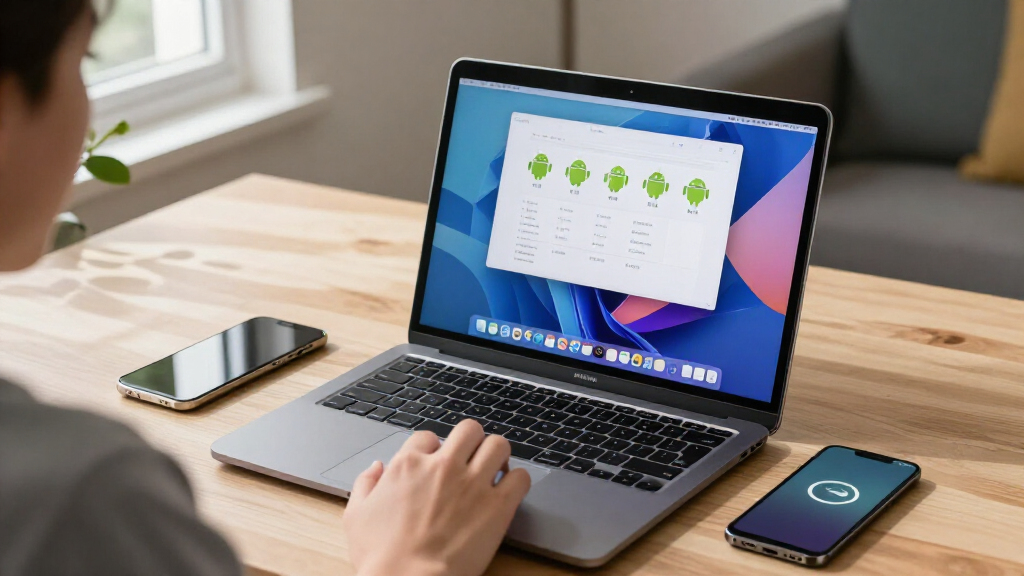
The project says Mac.apk implements an Android application environment on macOS. Apps appear in the Dock and open in individual windows, with controls for resizing and rotation; the project also says they can follow macOS light and dark appearance settings. It describes Android TV apps as usable from a keyboard and says some game launchers can start other installed apps.
Mac.apk requires macOS 26.4 or newer and an Apple Silicon processor. The project says macOS 27 support is available from version 1.0.1702; Intel Macs are not supported. The app itself takes about 280 MB, while each installed Android app uses roughly 1.5 to 3 times the size of its APK file, according to the project.
Users install the software from a disk image, add its runtime, and then open supported Android package files, including APK and several related formats. The project warns that an app’s first launch may take up to a minute while Mac.apk prepares it; later launches are faster. It advises using its uninstall feature to remove app data, which otherwise remains in the user’s Library folder after an app is moved to the Trash.
Android Apps Join the Mac Desktop
If the approach works reliably across more apps, Mac.apk could give Mac users access to Android software without switching devices or running a full virtual machine. Its separate windows, Dock presence and Mac input are intended to make Android apps behave more like desktop applications than apps displayed inside a phone emulator.
The trade-off is that the project is still alpha software, not a general guarantee that Android apps will work on Macs. The project says some apps run well, some work only partially and others do not run yet. Its compatibility list is the practical reference for users considering a particular app, and results may depend on the app and its requirements.
Security deserves particular attention. Mac.apk says its Android apps run as native code with the user’s macOS permissions, so an app may access files in the same way as other programs run by that account. That makes the source of an APK important: the project’s own guidance is to install only software the user trusts.
Android apps for MacBook with Apple Silicon
As an affiliate, we earn on qualifying purchases.
As an affiliate, we earn on qualifying purchases.
How Mac.apk Says It Works
Mac.apk’s central claim is that it does not run Android inside a conventional emulator, virtual machine or Linux system. Instead, its repository includes an Android framework reimplementation, a native runtime, an arm64 loader and Bionic compatibility shim, and an ARM32 recompiler, according to the project. The repository also contains the macOS application and instructions for building it.
The software is distributed under the GNU AGPL v3.0, with a commercial licensing option described by the project. Its source repository includes build and contribution documentation. The project also says the official app is free and does not include ads or in-app purchases.
Those details come from the project’s own GitHub materials, which describe features, requirements and known issues but do not provide independent performance testing. The available source material does not establish how many users have installed Mac.apk or how many Android apps have been tested beyond the project’s compatibility list.
““Some apps run beautifully, some run partially, and some do not run yet.””
— The Mac.apk project
Android emulator for macOS Apple Silicon
As an affiliate, we earn on qualifying purchases.
As an affiliate, we earn on qualifying purchases.
Compatibility and Security Limits
App compatibility remains unsettled. The project labels Mac.apk alpha software and points users to a hand-tested list, but the supplied material does not state how broad that list is or provide independent verification of the results. It also does not specify when the software might leave alpha or which unsupported apps may become compatible.
The project’s description of native execution and performance is a developer statement; no independent benchmarks or security audit are included in the source material. Users should also account for the stated lack of a phone-style sandbox: the source does not describe a separate permission layer that would restrict an Android app’s access to the user’s files.
The project provides a route for reporting problems and asks users to check app logs before posting them publicly. The exact behavior of individual apps, including those that rely on particular Android services or device features, is not established by the general project description.
As an affiliate, we earn on qualifying purchases.
Compatibility Testing and Updates
Mac.apk is available to download from the project’s Releases page, and development is ongoing. The project directs users to its compatibility list and known-issues documentation, including issues for release v1.0.2279, before installing or troubleshooting apps.
Users can report problems to the maintainer by email or through a GitHub issue. The project asks reporters to include the Mac.apk and macOS versions, the app and its source, a description of what happened, and the relevant log. Its repository also invites code contributions, but no specific future release date or milestone is given in the supplied material.
Mac-compatible Android app launcher
As an affiliate, we earn on qualifying purchases.
As an affiliate, we earn on qualifying purchases.
Key Questions
Does Mac.apk run Android in an emulator?
The project says it does not use a conventional emulator, virtual machine or Linux system. It says Android apps run through an Android environment implemented directly on macOS, as macOS processes.
Which Macs can run Mac.apk?
According to the project, Mac.apk requires macOS 26.4 or newer and an Apple Silicon Mac. Intel Macs are not supported.
Will every Android app work?
No. The project describes the software as alpha and says some apps work well, some only partially, and some do not run. Its compatibility list provides app-specific test results.
Are Android apps sandboxed when run through Mac.apk?
The project says there is no phone-style app sandbox. Apps run with the macOS user’s permissions, so users should install only APKs from sources they trust.
How do users report a problem?
The project accepts reports by email or GitHub issue. It asks users to include the Mac.apk and macOS versions, the app and where it came from, what happened, and the app log; it recommends reviewing logs before sharing them publicly.
Source: hn
Halloween Picks
halloween
As an affiliate, we earn on qualifying purchases.