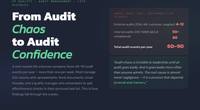
Meta: Discover how QAtrial helps teams stay audit-ready every day through traceability, evidence tracking, audit trails, e-signatures, reporting, and structured workflows.

Get monitors, keyboards and dev gear delivered free — and shop member deals
- Fast, free delivery on millions of items
- Access to Prime Big Deal Days deals on October 6–7
- Prime Video, Amazon Music and more included
Why “Audit Readiness” Usually Fails
Most regulated teams experience audit preparation as a crisis. Two weeks before the auditor arrives, the quality team scrambles to assemble evidence, fill traceability gaps, chase missing signatures, and generate reports. The scramble reveals what everyone already suspected: the quality system was not being maintained consistently.
Readiness
Every Day
This failure has three common patterns:
Missing evidence. Requirements exist, but tests are not linked. Tests passed months ago, but the evidence of execution is not documented. Risk assessments were performed verbally in meetings but never recorded. When the audit approaches, the team must retroactively create evidence — which is both dishonest and obvious to experienced auditors.
Broken traceability. Requirements point to tests that no longer exist. Tests reference requirements that were renamed. CAPA records mention corrective actions that were never verified. The traceability matrix has gaps that the team discovers only when they try to export it.
Last-minute signatures. Approvals that should have happened at the time of authoring or review are applied in bulk the week before the audit. The audit trail reveals the pattern — dozens of signatures with timestamps clustered in a single day, all applied months after the records were created. Auditors recognize this pattern immediately.
The root cause is the same in every case: audit readiness was treated as an event rather than a practice. The team built quality records when they needed them for audits, not when they needed them for quality.
As an affiliate, we earn on qualifying purchases.
The Daily Habits That Create Readiness
Audit readiness is a byproduct of consistent quality practices, not a separate activity. Teams that are always audit-ready do three things:
- They create records at the right time. Requirements are approved when they are baselined, not when the auditor is expected. Tests are linked to requirements when they are written, not retroactively. CAPA records are created when failures occur, not when someone notices the CAPA backlog is empty.
- They review dashboards regularly. The compliance score, evidence completeness, and traceability matrix are not decorations — they are operational tools. A team that checks its compliance score weekly will notice a drop from 82% to 71% and investigate before it becomes a problem.
- They close loops. A CAPA in “investigation” for six months is not a quality record — it is a liability. An unassessed risk is not managed risk. An unsigned requirement is not baselined. Closing loops means advancing records through their lifecycles in a timely manner.
QAtrial supports these habits by making quality status visible, structured, and measurable.
As an affiliate, we earn on qualifying purchases.
Which QAtrial Modules Support Readiness
Audit readiness is not a single feature. It is the combined effect of several QAtrial capabilities working together:
Traceability Matrix
The traceability matrix in the Overview dashboard shows which tests are linked to which requirements. It immediately reveals orphaned requirements (no linked tests) and orphaned tests (not linked to any requirement). During an audit, the traceability matrix is one of the first documents an auditor requests. In QAtrial, it is always current because it is generated from live data.
Evidence Completeness
The Evidence dashboard tracks per-requirement completeness across three dimensions: linked tests, risk assessment, and approval signature. A requirement with all three is “evidence complete.” The evidence score is the percentage of requirements with complete evidence. This metric tells you exactly how much work remains before every requirement has a defensible quality record.
Audit Trail
The audit trail captures every create, update, delete, status change, link, unlink, signature, export, report generation, and AI interaction. It is always running. You do not need to turn it on before an audit or configure it. The trail is the definitive record of your project’s quality history.
Electronic Signatures
Signatures applied through QAtrial’s modal include identity verification (password re-authentication), meaning selection (authored, reviewed, approved, verified, rejected), and a permanent record in the audit trail. Signature completeness is one of five components in the Compliance Readiness Score.
CAPA Closure
Open and unresolved CAPAs are a red flag during audits. The CAPA dashboard surfaces all failed tests and tracks CAPA records through their lifecycle (open, investigation, in_progress, verification, resolved, closed). A team that monitors this dashboard weekly will notice aging CAPAs before they become audit findings.
Risk Assessment Coverage
The Risk dashboard shows how many requirements have been assessed and how many remain unassessed. The “Risk Assessed” metric is one of five components in the Compliance Readiness Score. Unassessed requirements are visible in the dashboard, making it easy to identify and close gaps.
Compliance Readiness Score
The central metric that summarizes your audit readiness in a single number.
e-signature solution for compliance
As an affiliate, we earn on qualifying purchases.
As an affiliate, we earn on qualifying purchases.
The Compliance Readiness Score Formula
The Compliance Readiness Score is a weighted composite metric displayed as a percentage (0-100%) on the Compliance dashboard. It combines five quality metrics:
| Metric | Weight | How It Is Calculated |
|---|---|---|
| Requirement Coverage | 25% | Percentage of requirements in Active or Closed status (not stuck in Draft) |
| Test Coverage | 25% | Percentage of requirements with at least one linked test |
| Test Pass Rate | 20% | Percentage of executed tests with a Passed status |
| Risk Assessed | 15% | Percentage of requirements with a risk level assigned (low, medium, high, or critical) |
| Signature Completeness | 15% | Percentage of requirements with at least one approval signature |
Each metric is displayed with its own progress bar, color-coded:
- Green: 80% or above
- Yellow: 50-79%
- Red: Below 50%
Penalty: If any requirement in the project has a “critical” risk level, the overall score is reduced by 10 points. This penalty incentivizes teams to address critical risks rather than leaving them unmitigated.
Example calculation:
- Requirement Coverage: 90% (90% of requirements are Active or Closed) = 90 x 0.25 = 22.5
- Test Coverage: 80% (80% of requirements have linked tests) = 80 x 0.25 = 20.0
- Test Pass Rate: 75% (75% of tests passed) = 75 x 0.20 = 15.0
- Risk Assessed: 100% (all requirements have risk levels) = 100 x 0.15 = 15.0
- Signature Completeness: 60% (60% of requirements are signed) = 60 x 0.15 = 9.0
- Subtotal: 81.5
- Critical risk penalty: -10 (at least one critical-risk requirement exists)
- Final score: 71.5%
This score tells the team: “You are in the yellow zone. Signature completeness and the critical risk penalty are dragging you down. Address those to move into green.”
quality management reporting software
As an affiliate, we earn on qualifying purchases.
As an affiliate, we earn on qualifying purchases.
How Dashboard Visibility Changes Team Behavior
A compliance score that sits in a report nobody reads has no impact. A compliance score that is visible every time you open the Evaluation tab changes behavior.
When a team sees their score drop from 78% to 65% after a sprint where they created new requirements without linking tests, they understand the connection between their daily work and their audit posture. When they see “Signature Completeness: 40%” highlighted in red, they know exactly which quality habit they are neglecting.
Dashboard visibility creates a feedback loop: work quality practices, see the score improve, maintain the practices. Skip quality practices, see the score drop, course-correct. This is more effective than quarterly audit preparation meetings because the feedback is immediate and specific.
The Portfolio tab (available in QAtrial Enterprise) extends this visibility to multi-project oversight, showing readiness scores across all projects in a single view.
Evidence Completeness Dashboard
The Evidence tab provides a per-requirement view of evidence completeness. For each requirement, three checkmarks indicate:
- Linked tests: Does this requirement have at least one test linked to it?
- Risk assessed: Does this requirement have a risk level assigned?
- Approval signature: Has this requirement been formally approved with an electronic signature?
A requirement with all three checkmarks has “complete evidence.” The Evidence Score is the percentage of requirements with complete evidence across all three dimensions.
This view makes gaps immediately actionable. You can sort by completeness to see the most incomplete requirements first, then systematically address each gap: link a test, assign a risk level, or apply an approval signature.
How Reports Convert Daily Operations into Reviewable Outputs
An auditor does not review your database. They review documents. QAtrial’s reporting system converts your live quality data into structured, reviewable documents:
- Validation Summary Report (VSR): A 7-section audit-ready report combining AI-generated narratives with data-driven sections (traceability matrix, test results, risk assessments, signature records).
- Executive Compliance Brief: A one-page AI-generated summary for leadership, highlighting key metrics, critical gaps, and recommended actions.
- Regulatory Submission Package: Formatted per target authority (FDA 510(k), EU MDR Annex II/III, PMDA STED) with cover sheets, structured content, and regulatory-specific formatting.
- Traceability Matrix: The full requirement-to-test mapping exported as a reviewable document.
- Gap Analysis Report: Standards coverage analysis showing covered, partial, and missing clauses.
- Risk Assessment Report: Risk matrix and assessment details in a format suitable for quality review.
These reports draw directly from your project data. If your daily quality practices are solid — requirements are linked, tests are executed, risks are assessed, signatures are applied — the reports will reflect that quality. If not, the reports will expose the gaps, which is why generating reports periodically (not just before audits) is a useful readiness practice.
Gap Analysis as a Readiness Check
QAtrial’s gap analysis compares your project’s requirements and tests against applicable regulatory standards. It identifies covered clauses (requirements exist with linked tests), partial coverage (requirements exist but lack adequate tests), and missing coverage (no requirements address the clause).
Running gap analysis periodically — monthly or after major project changes — serves as a readiness check. It surfaces regulatory blind spots before an auditor does. Each identified gap has a “Generate Requirement” button that creates a requirement pre-populated with the standard reference, appropriate tags, and a suggested risk level.
Gap analysis is available in two modes: keyword-based static analysis (always available, no AI required) and AI-powered deep analysis (requires a configured LLM provider). The static mode matches requirement text against curated keyword lists. The AI mode performs semantic analysis of requirement intent against clause descriptions.
ISO 13485 Assessment Tab: Instant Readiness Snapshot
The ISO 13485 dashboard tab provides a dedicated assessment view against all 27 clauses of ISO 13485:2016 (sections 4.1 through 8.5). This is separate from the general gap analysis — it is a focused view for medical device teams and any team implementing an ISO 13485-aligned quality management system.
The assessment shows:
- Readiness score (0-100%) with a stacked progress bar showing covered, partial, and gap percentages
- Summary statistics: counts of covered, partial, and gap clauses
- Accordion by section: Quality Management System, Management Responsibility, Resource Management, Product Realization, Measurement and Improvement
- Per-clause detail: status icon, clause number and title, description, criticality badge (critical/high/medium/low), matched requirement IDs, and (in AI mode) evidence and recommendations
- Generate Requirement button for each gap or partial clause, creating a requirement with the ISO 13485 regulatory reference
The 27 clauses range from critical (4.1 QMS General Requirements, 4.2.3 Medical Device File, 7.3 Design and Development, 7.5 Production and Service Provision, 8.2 Monitoring and Measurement, 8.3 Control of Nonconforming Product, 8.5 Improvement/CAPA) to medium (5.1 Management Commitment, 5.2 Customer Focus). This criticality ranking helps teams prioritize which gaps to address first.
Honest Caveat: Software Does Not Guarantee Compliance
QAtrial provides the structure, visibility, and tooling to support audit readiness. It does not guarantee compliance. No software does.
Compliance is the result of organizational discipline: trained people following defined processes, making quality decisions, and documenting their work consistently. QAtrial makes that documentation easier and more visible. It surfaces gaps that would otherwise go unnoticed. It connects records that would otherwise be scattered across spreadsheets.
But if the team does not use the tools — if requirements sit unsigned, risks go unassessed, CAPAs age without resolution, and the compliance dashboard is never checked — the software cannot compensate. Audit readiness is a human practice supported by software, not a software feature that replaces human discipline.
Final Takeaway
Audit readiness is not something you do before an audit. It is something you maintain every day through consistent quality practices: linking tests to requirements, assessing risks, applying signatures, closing CAPAs, and reviewing your compliance score.
QAtrial supports this by making quality status visible and measurable. The Compliance Readiness Score gives you a single number. The Evidence dashboard shows per-requirement gaps. The audit trail provides the factual record. Reports convert your data into auditor-ready documents. And the ISO 13485 assessment gives medical device teams a focused regulatory readiness view.
Start with one project. Build the daily habits. Let the dashboard tell you where the gaps are. Fix them when they appear, not when the audit is scheduled.
Related Topics
- Audit Trails — How every action is automatically logged and how to export trail data for audits
- Electronic Signatures — How signatures are applied, verified, and recorded permanently
- Reports — How to generate Validation Summary Reports, Submission Packages, and other audit documents
Start with one pilot project. QAtrial is developed privately and is not publicly available. Run npm install && npm run dev, and create a project using the setup wizard. Work through the requirements, link tests, assess risks, and apply signatures. Watch your Compliance Readiness Score as you go — it will show you exactly where you stand.
Halloween Picks
halloween
As an affiliate, we earn on qualifying purchases.